To migrate 1,000 comics from Excel or Google Sheets to My Comics Collection in 2026, export your sheet in UTF-8 CSV, copy your columns into MCC's downloadable import template (Comic #, Title, Condition, Price, CGC Grade, Collection, etc.) and load the file with "Import collection". MCC recognizes the columns by their headers, shows a preview, and updates records whose number already exists instead of duplicating them. A serious migration takes 60-90 minutes for 1000 rows, including post-import checking.
Any collector who has held an Excel or Google Sheets for three years knows the feeling: the sheet becomes slow, the tabs multiply, the formulas break as soon as you add a column. At 1,000 lines, the spreadsheet is no longer enough, and the migration to a dedicated application like My Comics Collection (MCC) automatically becomes more profitable. This migration must still not break three years of patient input. This is the whole point of a well-prepared CSV import: keep the raw data, gain value tracking and not lose any line along the way.
This guide breaks down the complete process for 2026: why a spreadsheet caps at 500-700 entries before becoming a chore, what CSV structure MCC expects exactly, how to prepare its Excel or Google Sheets export without surprises, how upload and preview work in MCC, how MCC handles a number that already exists, how to spot and fix faulty rows, and how to check the integrity of the result on a random sample. A practical case timed on 1,000 comics closes the question.
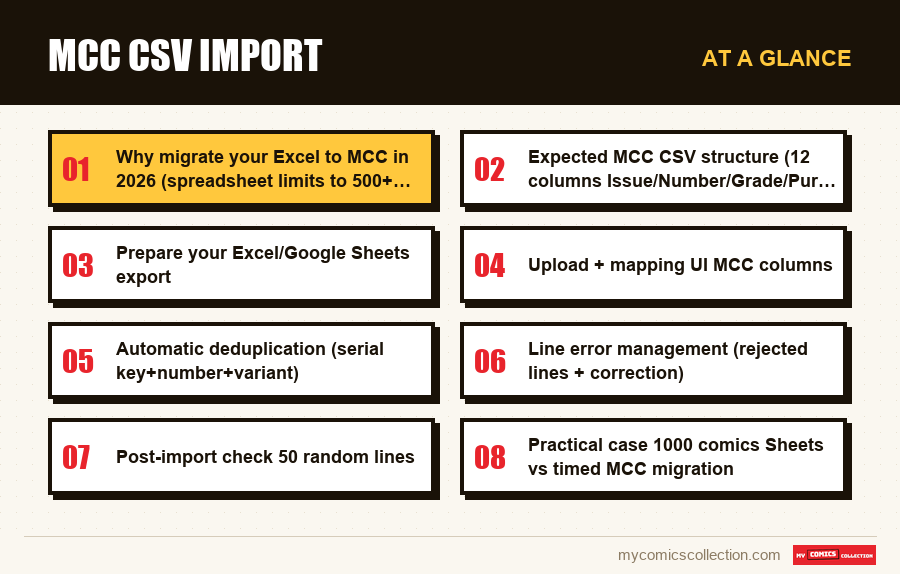
Why migrate your Excel to MCC in 2026 (spreadsheet limits to 500+ comics)
The spreadsheet is the default tool for almost every starting collector. It's free, familiar, open on all devices, and zero friction at launch. The problem doesn't appear until 200 comics. It becomes visible around 500. It becomes unbearable beyond 700. Three mechanics explain this ceiling.
The first mechanism is typing fatigue. On a spreadsheet, each comic added requires manually filling in 8 to 12 columns: series, number, publisher, publication date, creators, condition, price paid, purchase date, source, storage location, current value, notes. At 30 seconds per line (expert pace), that's 5 hours of crisp typing for 600 entries. At 60 seconds per line (realistic pacing with publisher and date lookups), it's 10 hours. And each editor or series spelling correction propagates the error over hundreds of lines that nothing automatically harmonizes. The article catalog your comics online: app vs spreadsheet precisely figures this difference in input time between the two families of tools.
The second mechanism is loss of consistency. On Google Sheets or Excel, nothing stops a user from typing "Marvel", "marvel", "Marvel Comics", "Marvel comics" or "MAR" in the publisher column. After three years of discontinuous entry, we find five to eight variants for the same label. Sorting and filters become unreliable, statistics by publisher are false, and a “cleaning” day must be planned every six months. No native validation locks the input in the expected format, unless you set up a Data Validation system using a drop-down menu which itself requires an hour of configuration and which breaks on the first pasting of external data.
The third mechanism is loss of value. A spreadsheet knows nothing about the current rating of your comics. The Current_Value column is entered manually, dated six months ago, and does not reflect the 2026 market. For a collection with an investment dimension, this is unacceptable. The catch-up solutions (diverted GOOGLEFINANCE function, AppScript scripts, Zapier integrations) all require technical skills that the majority of collectors do not want to acquire. A dedicated application includes a built-in estimate, calculated from current eBay listings.
The practical verdict: a spreadsheet is excellent up to 300 comics, manageable up to 500, painful between 500 and 1,000, and frankly counterproductive beyond that. At 1,000 comics, the migration to MCC pays for itself in a few months thanks to the saving in entry time and the regained reliability of the data. The condition is to successfully import without losing the history.
Expected MCC CSV structure (the import template columns)
The MCC import screen takes a CSV file as input (save an Excel workbook as CSV first) and recognizes each column by its header. There is no screen for matching columns by hand: the safest route is to download the template offered next to the import and copy your data into its columns. The rule is simple: the more your CSV resembles the target schema, the faster and more reliable the import.
The main columns of the MCC import template
- Comic # (mandatory): the issue number. Rows without a number are skipped on import.
- Title, Writer, Artist, Publication Date, ISBN (optional): the descriptive details of the comic.
- Owned (Yes/No): whether you own the comic. Yes and No can be written in any of the app's eight languages.
- Condition and Price (optional): condition of the copy and price paid.
- CGC Graded, CGC Grade, CGC Cert # (optional): for slabs. Decimal format (9.8 and not 98).
- Signed, Signed By (optional): signature and name of the signer.
- Variant (Yes/No) and Variant Ratio (optional): a ratio typed as 25 or 1/25 is saved as 1:25.
- Annual, Duplicate (Yes/No, optional).
- Description (optional long text): free comment, useful for a defect, a purchase date or a particular purchasing context.
- Collection (optional): name of an existing collection in MCC that the row is attached to.
Only the number is strictly mandatory. The other columns are optional and can be completed later from the MCC interface. If a row has no number, MCC skips it without any message; there is no error report. It is therefore better to check the completeness of critical columns before uploading rather than having to correct line by line after the fact.
The date format deserves special attention. Excel and Google Sheets store dates in different regional formats (03/15/2025 in FR, 3/15/2025 in US, 2025-03-15 in ISO). MCC takes the content of date columns exactly as it appears in the file, without checking it: mixed formats therefore end up mixed in your collection. The most relevant practice is to reformat all date columns in ISO before CSV export, via a function TEXT(A1,"yyyy-mm-dd") on Sheets or =TEXTE(A1;"yyyy-mm-dd") on French Excel.
The monetary columns require the same rigor. MCC reads simple amounts such as 12.50 or 12,50 correctly, even with a currency symbol, but trips over thousands separators (1,250.00 or 1 250,00): a "€1,250.50", as a French Excel export likes to produce, turns into a wrong value. The thousands separator must therefore be removed before export. The CNUM or VALUE function on Excel and VALUE on Sheets cleanly converts to a usable number.
Prepare your Excel/Google Sheets export
The quality of the import depends 80% on the quality of the source file. Five preparation steps minimize post-import remedial work.
Step 1: audit your existing spreadsheet. Open your main sheet and count the number of true lines (without headers, without separator lines, without automatic totals). If you have several tabs (for example one tab per publisher or per year), list them. Decide in advance whether you import everything at once (recommended) or in batches (useful beyond 3,000 entries to limit the risk in the event of an error). Out of 1,000 comics, a single import is more than manageable. The article inventory 1,000 comics in 90 minutes: bulk method gives the general methodological framework for any volume treatment.
Step 2: harmonize the wordings. This is the most time-consuming step but the most profitable. Filters the Editor column on all distinct values (Data → Filter → Select unique values on Excel, or Data → Create filter then click the arrow on Sheets). You often discover 5 to 10 variants for the same publisher ("Marvel", "Marvel Comics", "MAR", "M"). Choose a canonical form (Marvel) and use Find-Replace to harmonize. Repeat the operation for the Series column, where spelling variations are common (Amazing Spider-Man / The Amazing Spider-Man / Amazing SpiderMan). This harmonization takes 20 to 40 minutes on 1,000 rows but it saves hundreds of corrections after the import.
Step 3: rename columns. Align the headers of your spreadsheet with the MCC template described above. This is not a finishing touch but a requirement: MCC recognizes a column only by its header and ignores any column whose name it does not know. If you have a "Cost" column that corresponds to the template's "Price", rename it before exporting. Ambiguous columns ("Info", "Miscellaneous", "Other") are best merged into the "Description" column.
Step 4: convert formats. Reformats all date columns to ISO YYYY-MM-DD via a TEXT formula. Convert all amounts to decimal number with separator point. Check the Grade column: if you mixed CGC grades (9.8) and text notes (NM), split it into two columns Condition and CGC Grade. Non-slabbed comics have a text rating (NM, VF, etc.), slabbed comics have a digital CGC rating. Mixing the two in a single column also mixes raw condition and slab grade in MCC.
Step 5: export to CSV UTF-8. In Excel, File → Save As → CSV UTF-8 (comma delimited) (*.csv). On Google Sheets, File → Upload → Comma Separated Values (.csv). UTF-8 encoding is mandatory: without it, French accents (é, è, à, ç) become corrupted characters on import (é, è). An .xlsx file is refused: the import only accepts the CSV format. For recurring export workflows, the article export CSV comics collection: how to do it details the pitfalls and encoding options depending on the source software.
Upload and preview in the MCC interface
The MCC import is in the app's Settings, under Import / Export, with the "Import collection" button; the template to download sits right next to it. The interface accepts a file dragged and dropped or selected from the file browser. For 1,000 comics without images, the file weighs 100 to 200 kb.
Once the file is loaded, MCC reads the header row and assigns each column to a field based on its name. It recognizes the template headers in all eight languages of the app, plus a few older English labels. Columns with any other header are skipped without a message.
The classic trap is to confuse publication date (when the publisher released the comic) and purchase date (when you acquired it). The two dates often exist in the source table but with unclear names ("Date 1", "Date 2"). The template only knows the publication date: rename the right column to "Publication Date" and move the purchase date into the Description if you need it. An inversion produces 1,000 comics displayed as "published in 2024", an error which requires a massive post-import correction.
The second pitfall concerns variants. In the template, "Variant" is a Yes/No field, completed by the "Variant Ratio" column; without it, a comic is treated as a regular cover. Note the cover letter (A, B, C) in the Description. Be careful: if a record with the same number already exists in MCC, the row updates that record instead of creating a second one.
Before importing, MCC shows a preview: the number of rows detected, how many will be added and how many updated, then the first 8 rows with number, title, owned, condition, price and CGC grade. Read this preview carefully before confirming the import. If something looks odd (a missing price, a title in the wrong column, far more updates than expected), a header or a number is being misread. Better to correct now than repair 1,000 records by hand.
The import itself takes 30-90 seconds for 1000 rows depending on the connection. At the end, MCC tells you how many rows were imported. Compare that figure with the number of rows in your file: a gap points to rows without a number, which were skipped.
Numbers already in your collection: updated, not duplicated
The comparison with your existing collection is what saves the most time in the long run. It avoids having two Amazing Spider-Man #800 records because the same file was imported twice (export in May, re-export in June).
The key for this comparison is the number alone: MCC compares the "Comic #" column of each row with the numbers already in your collection. Series titles and variants are neither normalized nor compared.
Concretely, on import, MCC goes through each row and compares it with your collection. Two outcomes are possible. Case 1: the number does not exist yet, the row creates a new record. Case 2: the number already exists, MCC updates the existing record, using only the columns present in your file; missing columns leave the current data untouched. There is no "to check" status and no choice between overwriting and keeping.
Managing multiple copies is a special case. If you own two copies of Amazing Spider-Man #1 (a CGC 9.4 slab and a French reading copy), you want two separate records in MCC, not a merger. A second row with the same number would simply update the first record on import. So import one copy per number, then add the second one directly in the app as a duplicate. For collectors who systematically have several copies, the article import your comics collection into an application details the multi-exemplar pattern.
Handling errors (skipped or misread rows)
No import on 1000 lines goes to 100%. Expecting 2 to 5% of problem rows is realistic. Out of 1,000 entries, that's 20 to 50 lines to correct manually. MCC does not produce an error report: rows without a number are skipped, and every other row is taken in as it stands in the file. Errors therefore show up during the check, and knowing their usual causes speeds up the correction.
Format errors are the most common: a date in mixed formats, an amount with a thousands separator, a Yes/No field holding a value such as "x". MCC takes these values in without warning. The simplest is to correct directly in the source CSV and re-run a partial import on these lines only: since their numbers already exist, they update the records in place.
Missing numbers are the second cause. If the number sits in another column or is missing, MCC skips the row. Before uploading, check that the "Comic #" column is filled on every row.
Consistency errors are the most subtle. You indicated a CGC grade on a row without setting "CGC Graded" to Yes, or a text condition (NM) with a CGC cert number filled in, which is contradictory. MCC does not flag these contradictions: you only find them during the check. Out of 1,000 lines entered over three years with evolving conventions, this type of error often represents half of the corrections.
Good practice: don't correct errors one by one in the MCC interface, it's slower. Gather the affected rows in Excel or Sheets, correct them there, and rerun a partial import containing only the corrected lines. On 50 errors, the time saving is 70 to 80% compared to a single correction in the app.
Collecting this series?
Track what you own, what you are missing and what your collection is worth. 7 day trial.
Start my trial →Post-import check 50 random lines
The mistake after a migration of 1,000 comics is to consider the import complete as soon as the progress bar reaches 100%. Post-import verification is non-negotiable: without it, silent errors are discovered weeks or months later, when it is too late to relate them to a reliable prior state.
The 50 random lines method is fast and statistically valid. Out of 1,000 imports, checking 50 lines (5%) gives a margin of error of around ±3%, which is more than enough to detect systemic problems. Drawing these 50 lines truly at random requires discipline: not only selecting the first lines (often the best entered, therefore bias), nor the last (often the most recent, therefore still in memory). The RAND or ALEA function on Sheets and Excel allows you to generate 50 random indices between 1 and 1000, then open each corresponding row in MCC.
For each sampled line, check four points: series and number (the two primary keys, which must never be incorrect), the date of publication (check on ComicVine or League of Comic Geeks that the date displayed in MCC corresponds to the real one), the price paid and the value (make sure that no misinterpreted comma has transformed 12.50 into 1250 or vice versa), the variant and the grade (checks that a variant cover has not been lost in Regular and that a CGC grade is in slabbed mode and not in raw).
The verification time is short: 30 to 60 seconds per line, or 25 to 50 minutes for 50 lines. This is negligible compared to the total migration time, but it is what makes the difference between a clean import and a shaky import which poisons the database for years. If more than 3 errors appear on 50 lines (rate > 6%), it means that a header or format is systematically wrong. It is then better to fix the root cause in the source file and import again: numbers that already exist are updated with the right values.
Beyond the random sample, a global check on the aggregates is useful. Count the total number of records imported into MCC and compare it to the number of lines in the source CSV: a gap points to skipped rows or numbers that appeared several times in the file. Compare the total invested shown in MCC's statistics with the sum of prices in your original spreadsheet: a significant difference indicates a monetary format problem. Count the records in each collection in MCC and compare with your spreadsheet: a gap points to a collection name MCC could not match. These three global checks take ten minutes and detect 80% of systemic errors.
To anchor the security of this migration, immediately export a CSV backup from MCC after verification and store it according to the 3-2-1 rule: 3 copies, 2 different media, 1 off-site. The article backup cloud comics: 3-2-1 rule applies this principle to a digital collection. Having a post-import backup prevents you from losing everything if you mishandle MCC in the days that follow.
Practical case 1000 comics Sheets vs timed MCC migration
To make the benefit of the migration concrete, here is a practical case timed on a real collection of 1,000 comics managed for four years on Google Sheets, then migrated to MCC. Times are measured with a stopwatch on a representative sample.
Phase 1: audit of the source Sheets. 15 minutes. Counting true rows (1,047, including 1,002 useful and 45 separator lines/totals to delete). Listing of tabs (3 tabs: Marvel, DC, Indie). Checking the headers (12 columns but with free FR names: "Publisher", "Current rating", "Purchase cost", etc.). Decision: import in one go, after harmonization of the labels.
Phase 2: harmonization of wording. 35 minutes. Publisher column: 8 variants reduced to 4 canonical values (Marvel, DC, Image, Indie). Series Column: 12 spelling errors corrected via Find-Replace. Status Column: Conversion of 60 mixed rows (CGC notes in the Status column) to two separate columns. Source_purchase column: 5 variants reduced to 3 values (eBay, Comic shop, Convention).
Phase 3: format conversion. 12 minutes. Reformat the 1002 dates to ISO via TEXT. Conversion of 1,002 amounts to decimal number with separator point. Checking for the absence of residual € symbols.
Phase 4: UTF-8 CSV export. 3 minutes. File → Upload → CSV. Quick check in a text editor that accents are preserved.
Phase 5: upload and MCC preview. 8 minutes. Headers aligned with the template ("Purchase cost" became Price, "Current quote" was dropped). Drag and drop of the CSV. Preview checked. Launch.
Phase 6: import and results. 1 minute 20 seconds (effective import time). MCC reports the number of rows imported; the check reveals 8 faulty rows (4 date format errors, 2 missing numbers, 2 grade consistency errors).
Phase 7: error correction. 18 minutes. Fix 8 lines in Excel. Partial re-import, which updates the affected records or creates the missing ones.
Phase 8: checking 50 random lines. 32 minutes. Generation of 50 random indices, opening of each line, verification of series, number, date, price, variant, grade. 1 error detected (a CGC grade 9.4 displayed as 9.6 due to an ambiguous entry in the source table: corrected in 30 seconds). All other fields are true to the source.
Phase 9: global checks and backup. 8 minutes. Comparison of the number of records (1,002 source vs 1,002 in MCC: OK). Sum of prices (€3,847 source vs €3,847 MCC: OK). Count of records per collection (OK). Export of a CSV backup from MCC, local storage + cloud + USB key.
Total timed migration: 2 hours 12 minutes for 1,000 comics. Compared to the 40+ hours it would have taken to manually re-enter a new application without importing, this is a 95% time saving. Compared to the initial entry time spread over four years (estimated at 60 hours on Sheets), this is also a net gain because the migration capitalizes on the work already done.
To assess the real value of the collection once migrated and benefit from MCC's daily-updated eBay rating, the option to free estimate gives an updated valuation range in just a few minutes. To explore MCC's worldwide catalog (more than 2.6 million issues), which speeds up future entries, see the comics catalog. Beginner collectors who are still hesitant to invest in an app can consult the beginner's guide to comics collector, and FR collectors during it comics collector's guide in France.
Methodological disclaimer. The timed migration times come from a real case on a collection of 1,000 comics managed for four years on Google Sheets. Actual durations vary depending on the cleanliness of the source spreadsheet, the user's familiarity with the tools, and the complexity of particular cases (multiple copies, unlisted indie comics). Estimates of time savings are illustrations and constitute neither a guarantee of performance nor financial advice. MCC's eBay valuation is updated daily and based on comparable current listings and reflects market estimates which may change.
FAQs
How long does it take to migrate 1000 comics from Excel to MCC?
In real conditions and with a reasonably clean source spreadsheet, the complete migration takes 2 to 2.5 hours, including post-import verification. The time breaks down as follows: 50 minutes of file preparation (audit, harmonization, format conversion), 10 minutes of upload and preview check in the MCC interface, 20 minutes of correction of faulty lines, 40 minutes of verification on 50 random lines and global checks. On a very disorganized spreadsheet with several tabs and inconsistent labels, allow 3 to 4 hours. On an already cleaned spreadsheet, 90 minutes is enough.
What happens if some columns in my Excel do not exist in MCC?
Columns with a header MCC does not recognize are ignored during import without blocking the process. If you have a "Reading note" or "Recommended by" column that has no equivalent in the MCC template, either its data is lost or you move it into the Description column (the data is kept as free text on the record). The best practice is to concatenate several secondary columns into a single Description column before exporting, which preserves all the information in a single field.
How to import comics that do not exist in the MCC database?
The import does not check rows against the MCC catalog: every row with a number is taken in, even for a little-known indie series. For those comics, create a dedicated collection in MCC first and put its name in the Collection column, so they do not mix with your other series.
Can we cancel an import if we discover a massive error afterwards?
MCC has no undo button for imports. Records created by mistake can be deleted in one go with multi-select, and updated records are fixed by re-importing the right values. That is why a CSV export as a backup before importing and the check on 50 random lines right after matter so much.