To catalog your comics online in 2026, a dedicated app like My Comics Collection (a subscription after a 7-day free trial) beats a Google Sheets spreadsheet on six measurable fronts: EAN-13 barcode scanning in 2 seconds versus 90 seconds of manual entry, eBay-based values on demand, cover photos compressed and hosted for you, one account shared by phone and web, public wishlist sharing through a single link, and pre-computed statistics.
The question comes up every time a collector crosses the 100-issue mark: stick with a free Excel or Google Sheets spreadsheet, or move to a paid, dedicated SaaS app? This isn't a turf war over personal taste. It pits two collection-management philosophies against each other, each built for different needs, and the right call depends as much on how many issues you've cataloged as on how often you use your phone and what you expect from price tracking.
This article compares, point by point, what a dedicated app (My Comics Collection, ComicCollectorz, CLZ Comics) can do against a DIY spreadsheet (Google Sheets, Excel, LibreOffice). We break down the app's six measurable advantages, the two weaknesses that can tip the scales, a 12-criterion comparison table, and a verdict tailored to your collector profile: under 100 comics, 100 to 500 comics, or more than 500 comics. There's no obligation to buy at the end: the decision should stay rational, calibrated to how you actually use it.
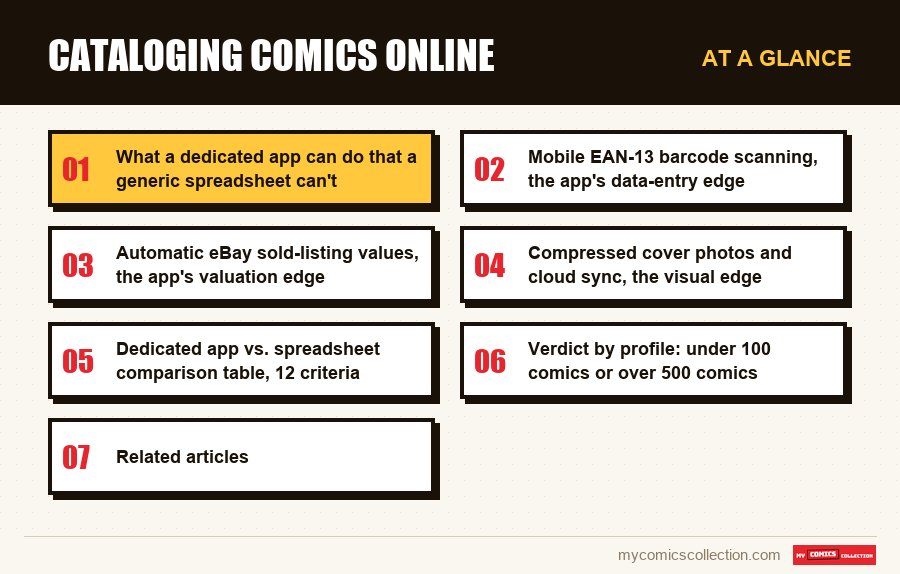
What a dedicated app can do that a generic spreadsheet can't
A generic spreadsheet is a universal tool: it accepts any kind of data, imposes no structure, and leaves you completely free to shape your file. That flexibility is its strength, but it's also its biggest weakness for tracking a comic collection. Google Sheets knows nothing about comics: it doesn't know that a comic ISBN follows a particular syntax, it doesn't know that an eBay value is set by sold listings, it doesn't know that a CGC 9.8 grade commands a certain multiple over a raw copy, it offers no default fields and no domain-specific validation. Everything has to be built by hand, row by row, formula by formula.
A dedicated app starts from exactly the opposite place. My Comics Collection ships, by design, with a data model calibrated for comic books: series field, issue number, publisher locked to a list of 200+ labels, year, Overstreet condition, CGC/CBCS grade, purchase price, current price, signed/unsigned, key issue, variant, tags, notes. No columns to create, no validation to configure, no formula to write to get total value or total invested: those figures are calculated and displayed at all times in widgets built for the job.
This difference in approach translates into an immediate, real-time gain on data entry. Where the Sheets user has to define 12 columns before entering the first comic, the MCC user clicks "Add a comic" and fills in a ready-made form. The form suggests entries as you type (autocomplete for the series, the number, the publisher), flags consistency errors on the fly (a CGC grade of 9.85 is rejected as non-standard), and triggers automatic enrichment (pulling the cover, the synopsis, the average value) the moment you save. The spreadsheet, by contrast, stays a blank notebook: what you don't write down doesn't exist.
The other dimension an app handles natively and a spreadsheet ignores is the multi-view dimension. In MCC, the same collection displays as a mosaic of covers or a detailed list, and a statistics screen adds the total value, the amount invested, a breakdown by era and the history of the collection's value. Each view is filterable and sortable by collector logic (Marvel keys, DC keys, Bronze Age key issues, and so on). Reproducing these views in Google Sheets means manually building a pivot grid, slicers, and separate charts to maintain as you add issues: recurring work with no equivalent in an app where those views are hardwired.
Finally, a dedicated app handles data paths a spreadsheet can't address: integration with a shareable public wishlist, management of cover photos compressed and hosted in the cloud, a value estimated from eBay listings, one-click CSV export and CSV import. The Sheets user can mimic each of these functions piecemeal, but only by doing it themselves and accepting a maintenance debt that grows with every comic cataloged.
Mobile EAN-13 barcode scanning, the app's data-entry edge
Entering a comic is the single most-repeated action over the life of a collection. If each addition takes a minute, adding 500 comics adds up to 8 hours of data entry. If each addition takes 5 seconds, the same volume fits into 42 minutes. EAN-13 barcode scanning is the lever that makes the difference, and it's the flagship feature a spreadsheet can't reproduce.
A recent comic (roughly post-2005) carries a standard 13-digit EAN-13 barcode on the back, identical to the one on any commercial product. That code encodes the publisher, the series, the issue number, and sometimes the cover month. The dedicated app fires up the phone's camera, reads the code in under a second, queries its internal database (or a third-party catalog like an online collaborative database), pulls the title, issue number, year, cover, and publisher, then pre-fills the add form. All that's left for you is to confirm and, optionally, set the condition (NM, VF, etc.) and the purchase price. Total time: 8 to 12 seconds per comic.
In Google Sheets, the same action forces you to type every field by hand: open the file on mobile, type "Amazing Spider-Man" (15 characters), type "129" (3 characters), pick "Marvel" from the dropdown, type "1973" (4 characters), pick "VF," type the price. Total time: 60 to 90 seconds per comic on average, with a real margin for error on spelling and issue number. No cover pulled automatically, no cross-check against an external database, no enrichment.
The gap is 5 to 10x in per-comic entry time. Multiply that by the volume of a cataloging session (often 20 to 50 comics when you empty a longbox), and the app's gain comes out to 30 minutes to 2 hours saved per session. That gain compounds month after month for the active collector who regularly adds recent purchases.
Barcode scanning does cover a limited scope, though: it works well for modern comics (Marvel and DC post-2005, Image post-2010) but grows less reliable on older comics (Silver Age, Bronze Age) that have no readable EAN-13 or whose issues the external database doesn't fully cover. For those cases, the app offers an assisted manual entry mode (title/number search with autocomplete against the internal database), which still beats spreadsheet entry thanks to that autocomplete. Taking inventory of an older collection therefore calls for a mix of scanning and assisted entry, whereas an all-modern collection can be handled almost entirely by scanning.
A spreadsheet can, in theory, add barcode scanning through a third-party add-on or a homemade macro, but that implementation stays makeshift, unreliable, and demands technical skills most collectors don't have. In practice, no standard Google Sheets user has a working, maintained barcode scanner.
Automatic eBay listing values, the app's valuation edge
A comic's value isn't a fixed number: it shifts constantly with the secondary market (eBay sales, Heritage Auctions sales, MyComicShop transactions), with publishing news (a movie or series release), and with broader market currents (Silver Age fervor, rising Bronze Age keys, and so on). For a collection's valuation to stay credible, the value shown has to reflect the real state of the market at a recent date: ideally within the last 30 days.
The dedicated app solves this with automatic pricing. My Comics Collection refreshes the estimate every day by reading up to 100 current eBay listings for each comic and keeping the median. The value shown is the median of up to 100 current eBay listings, updated daily: a far better proxy for the market than a single asking price.
On a spreadsheet, this function simply doesn't exist. The "Current price" column stays frozen at whatever you entered, until you take the time to update it by hand. The GOOGLEFINANCE function doesn't cover comics. No free comics-pricing API is accessible from Google Sheets without advanced Google Apps Script. In practice, the spreadsheet user updates their values once or twice a year, checking eBay manually for each key comic: a tedious chore they eventually give up on.
The problem turns critical on Bronze Age and Silver Age keys, where a 2022 value can run 30 to 50% below the 2026 reality on certain issues (Hulk #181, Iron Fist #14, Werewolf by Night #32, for example). A collector relying on their Sheets "Current price" column to estimate insurance value or to decide on a sale will be making calls on stale data.
A concrete case shows the gap. On a 300-comic collection with 25 keys, the dedicated app refreshes the valuation of those 25 keys (the bulk of the financial value) in a single click. On a spreadsheet, manually updating those 25 keys takes 2 to 3 hours of work every quarter if you want credible data: a time budget few collectors sustain over the long haul.
For users who want to sell, this automatic pricing has concrete value: it keeps you from underselling comics that have climbed 40% in six months, and it protects you from buyers who'd quote a 2022 price to talk you down. Automatic pricing is also the starting point for a serious free estimate, which you can then refine with a professional grader for your major pieces. Statistical analysis of a collection only makes sense if the underlying financial data is current.
Compressed cover photos and cloud sync, the visual edge
A comic's cover is the most useful visual information in a collection view: it lets you recognize an issue at a glance, it helps you spot variants, and it feeds the mosaic view that makes your collection feel physically present on screen. On a spreadsheet, handling cover photos is technically possible but operationally painful. On a dedicated app, it's a native feature built for performance and sharing.
When you add a comic in My Comics Collection, the app automatically pulls the reference cover from its internal database (or an online collaborative database for older issues) in an optimized format. You can also snap a photo of your own physical copy with your phone: the app compresses the image to WebP, resizes it to 800x1200 pixels (plenty for web and mobile display), and hosts it on its CDN. No file handling, no storage to worry about on your end. The image shows up in the mosaic view, on the detail page, and in your shared wishlist if you enable that mode.
In Google Sheets, adding a cover photo takes several steps. Either you insert the photo into a cell via the =IMAGE() function pointing to an external URL (but you have to host the photo elsewhere, on Google Drive or Imgur), or you insert the image directly into the cell (but the Sheets file balloons fast and becomes slow to load). Either way, no compression happens: a 5 MB phone photo stays at 5 MB, which maxes out your Drive quota on a 500-comic collection (2.5 GB of images instead of 50 MB after WebP compression).
Multi-device sync illustrates another dimension where the app pulls ahead. On MCC, the collection lives on central servers and each change is saved there as you make it, so the web browser (Chrome, Safari, Firefox) and the app for iPhone, iPad and Android work from the same data. You add a comic on your phone at a convention, and the computer at home shows it the next time you open or reload the collection.
In Google Sheets, sync exists (the file lives in Google Drive) but it happens at the whole-file level, not the data level. If two users edit the same cell at the same time on two devices, conflicts can appear. Backup relies on Drive's revision history, which covers 30 days by default: beyond that, your older versions are gone. CSV export is a one-off, done manually: multi-device cloud sync for a comic collection demands more discipline on a spreadsheet than on an app.
For collectors who show off their collection on Instagram, Discord, or a personal blog, the app-hosted cover has one last advantage: it displays in a public wishlist that's shareable with one click: something Google Sheets can't do without custom Google Apps Script macros. Social sharing of a collection is native on the app, makeshift on the spreadsheet.
Collecting this series?
Track what you own, what you are missing and what your collection is worth. 7 day trial.
Start my trial →Dedicated app vs. spreadsheet comparison table, 12 criteria
To sum up the sections above and offer a structured point of comparison, the table below rates the two options on 12 operational criteria. Each criterion is scored qualitatively (excellent, fair, limited, absent) with a summary verdict at the end of the line.
Criterion 1: Running cost. Google Sheets: free (Google account required). My Comics Collection: 7-day free trial, then a monthly or annual subscription priced by country. Edge to the spreadsheet on direct cost, to be weighed against the time the app saves (see criterion 8).
Criterion 2: Initial setup. Spreadsheet: 30 to 90 minutes to build 12 columns, validate dropdowns, and write formulas. App: 0 minutes, structure ready out of the box. Edge to the app on immediate setup.
Criterion 3: Per-comic entry. Spreadsheet: 60 to 90 seconds per comic (manual entry). App: 8 to 12 seconds per comic by barcode scan, 30 to 45 seconds in assisted mode. Edge to the app, a 5 to 10x ratio.
Criterion 4: Cover photo. Spreadsheet: manual image insertion, no compression, bloats the file. App: auto-pulled in optimized WebP, built-in CDN. Edge to the app on quality and performance.
Criterion 5: Automatic pricing. Spreadsheet: absent (manual entry, data quickly outdated). App: daily refresh from current eBay listings. Decisive edge to the app for credible valuation.
Criterion 6: Mobile/web sync. Spreadsheet: decent Drive sync but heavy on large files, conflicts possible. App: every change saved to the server, the same data on each device. Edge to the app on day-to-day smoothness.
Criterion 7: Statistics. Spreadsheet: built by hand (SUMIF, AVERAGEIF formulas, charts). App: pre-wired dashboard (total value, total invested, breakdown by era, top 5 values). Edge to the app on convenience, with parity possible on a spreadsheet if the user can code their own formulas.
Criterion 8: Time spent over 12 months. Spreadsheet: 3 to 4 hours/month to update values, clean up duplicates, manage photos. App: 30 to 45 minutes/month, mostly for entering new additions. The app's time savings add up to 30 to 40 hours saved over the year.
Criterion 9: Shareable wishlist. Spreadsheet: share the whole file, no filtered public view. App: dedicated public link to the wishlist, updated automatically. Edge to the app for social collectors.
Criterion 10: Export and portability. Spreadsheet: native CSV/Excel export, universal format. App: one-click CSV export and CSV import. Parity, with a slight edge to the spreadsheet on raw portability. See the comic collection CSV export guide.
Criterion 11: Backup. Spreadsheet: 30-day Drive history by default. App: full CSV export at any time. Edge to the app for resilience.
Criterion 12: Extreme customization. Spreadsheet: total free-form, add columns at will, custom formulas. App: predefined fields, free tags, but a locked structure. Edge to the spreadsheet for ultra-specific profiles (e.g., a bilingual collection with homemade custom fields).
Summary score: across 12 criteria, the app takes the edge on 8 (setup, entry, cover, pricing, sync, statistics, time spent, wishlist, backup), the spreadsheet takes the edge on 3 (direct cost, export, extreme customization), and parity holds on 1 (export). The mathematical verdict leans toward the app, but the real weighting depends on your profile.
Verdict by profile: under 100 comics or over 500 comics
The choice between a dedicated app and a spreadsheet isn't binary: it depends on how many issues you've cataloged, how often you use your phone, your annual budget, and your long-term intent. Three typical profiles emerge, each getting a different recommendation.
Profile 1: Under 100 comics, beginner use. For the collector just starting out, a Google Sheets spreadsheet stays the pragmatic option. There's zero setup friction, the cost is nothing, and the cataloged volume is too small for the app's gains (automatic pricing, scanning) to offset the cost of the subscription. The main risk is psychological: testing your commitment before investing. If you stick with Sheets for 6 months, faithfully entering your comics, you're ready to switch later. If you bail after 3 weeks, you've lost only a few hours of setup. At this size, the productivity gap stays modest: cataloging 100 comics takes about 2.5 hours on a spreadsheet versus 25 minutes on an app: a real gain, but not a decisive one.
Profile 2-100 to 500 comics, active collector. This is the tipping zone. Above 100 comics, the spreadsheet's limits start to bite: keeping values current is painful, cover photos are hard to manage, formulas drag on big files, social sharing doesn't exist. At this stage, the app's cost/benefit ratio turns favorable. The subscription pays for itself in 4 to 6 hours saved per month: a positive investment as soon as the collector adds regularly (even just 5 to 10 comics a month). It's also the point where automatic pricing comes into its own, because the volume of cataloged keys justifies refreshing the estimates regularly. Recommendation: switch to the app, but keep a monthly CSV export as a safety net.
Profile 3: More than 500 comics, serious collector. Beyond 500 comics, a spreadsheet is no longer a reasonable option. Google Sheets files turn sluggish (5 to 15 seconds to load), filters slow down, complex formulas hit Google's quotas. Above all, financial valuation becomes a real stake: across 500 comics, the total value can top $10,000, and a value that's 30% out of date represents a $3,000 gap in your estimate. The dedicated app is no longer a luxury: it becomes a wealth-management tool. The annual cost of the subscription is negligible against the value protected. Recommendation: a dedicated app is a must, with existing data migrated via CSV import. See the comic collection dashboard for an overview of the catalog you can access.
One special case deserves a mention: the collector who owns more than 500 comics but uses the collection for regular resale (a semi-pro dealer). This profile adds the need to manage transactions, any VAT, and margin tracking. The dedicated app stays relevant but should be paired with an external accounting tool: no single solution covers both dimensions 100%. The spreadsheet can then come back as a complement for bookkeeping, alongside the app for the catalog.
One last thing to weigh: the longevity of the tool you choose. A Google Sheets spreadsheet stays readable and usable 10 years from now, regardless of how the SaaS market evolves. A dedicated app depends on the financial health of its publisher, the continuity of the service, and the stability of its export format. The answer to that risk comes down to one simple discipline: whatever tool you pick, doing a monthly CSV export and saving it off-platform guarantees your data stays recoverable even if the service shuts down.
FAQ: App vs. spreadsheet for comics
Is a dedicated comics app really faster than a spreadsheet for entering a comic?
Yes: the measured ratio is 5 to 10x in the app's favor for modern comics with an EAN-13 barcode. The phone camera reads the code in 1 to 2 seconds, the app queries its internal database and pre-fills the form; all that's left is confirming the condition and price. Count on 8 to 12 seconds per comic on the app versus 60 to 90 seconds for manual Sheets entry. On older comics with no EAN-13, the gap narrows to 2 to 3x thanks to the app's internal database autocomplete, but the edge still goes to the app.
Can you pull automatic eBay values into Google Sheets?
Not directly with the native functions. The GOOGLEFINANCE function doesn't cover comics, and no free public API exposes eBay sold-listing values in a format Sheets can use directly. There are workarounds via Google Apps Script with eBay scraping, but they demand solid technical skills, stay fragile to eBay's changes, and risk violating the platform's terms of use. In practice, credible automatic pricing remains the preserve of dedicated apps that have negotiated data access or built their own aggregator.
Is moving from a spreadsheet to a dedicated app reversible if the app shuts down?
Yes, as long as you export your data regularly to CSV. Serious apps (My Comics Collection, CLZ Comics, ComicCollectorz) offer a one-click CSV export that returns your entire catalog in a universal format. Do this export once a month and store it off-platform (your own Drive, an external drive, a third-party cloud). If the service shuts down, you recover your collection in full and can import it into another tool or drop it back into Google Sheets. The general rule: whatever the tool, data portability comes from regular exports in an open format.
What's the logical tipping point between a spreadsheet and an app?
The operational threshold sits around 100 to 150 cataloged comics, provided you add regularly (at least 5 to 10 comics a month). Below that, the spreadsheet stays pragmatic: zero cost, zero friction, enough to confirm your commitment. Above it, the spreadsheet's limits become painful (maintaining values, managing photos, sluggish files), and the app earns back its cost in a few hours of productivity saved per month. The real threshold depends on your profile: an all-paper collector who never pulls a value can stay on a spreadsheet up to 300+ comics, while a collector active on eBay finds it worthwhile from 80 comics.
Does a dedicated app handle variants and key issues better than a spreadsheet?
Yes, because the notion of a variant and a key issue is natively modeled in the app's data schema. My Comics Collection offers a "variant cover" field linked to the main comic, which lets you catalog 1st print, 2nd print, retailer incentive, sketch variant, and virgin variant as linked entries without duplicating the series/issue record. The key issue status is marked by a dedicated flag, usable in filters and statistics. On a spreadsheet, you have to manually create extra columns (variant type, ratio, key issue yes/no), set up a naming convention, and accept that your filters will be less rich. For tracking CGC-graded keys, the dedicated app has a clear operational advantage.
Related articles
- Cataloging your comics: method and complete guide: the step-by-step methodology for structuring a collection.
- Comics manager: the complete tool guide: a detailed comparison of the apps and spreadsheets on the market.
- Google Sheets template for a comic collection: the ready-to-use 12-column spreadsheet.
- Notion vs. dedicated comics app: the modular database against the specialized SaaS.
- Airtable for comic collections: the hybrid base between spreadsheet and app.