You've decided to switch to a management app for your comic collection. Good decision. But one question comes up immediately: how do you transfer what you already own? The answer largely depends on your starting point.
Importing your comic collection into an app: where to start
You've decided to switch to a management app for your comic collection. Good decision. But one question comes up immediately: how do you transfer what you already own? The answer largely depends on your starting point. Do you already have a list in a spreadsheet? A paper sheet with your issues written by hand? Or nothing at all, and you're starting from zero? Each situation calls for a different strategy.
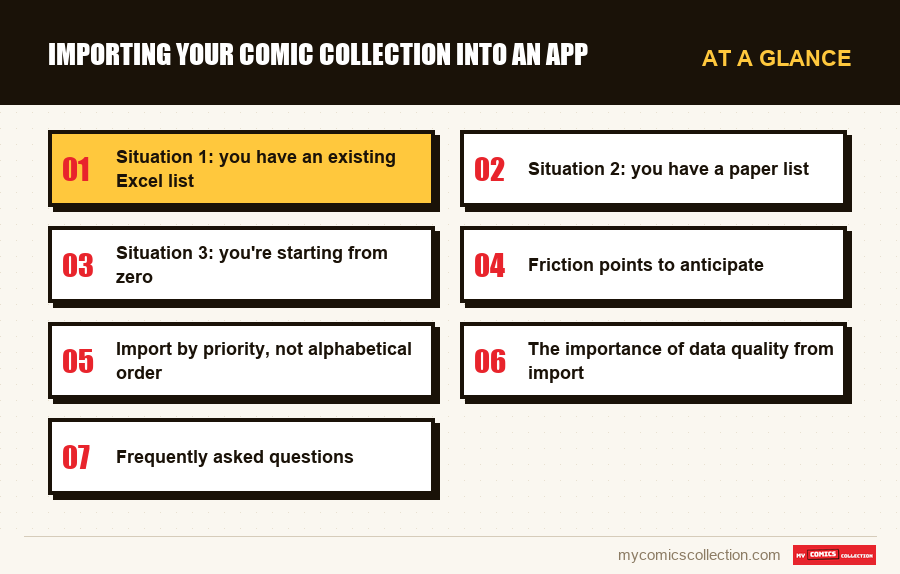
Situation 1: you have an existing Excel list
This is the most frequent situation among collectors who've been managing their collection for a few years. You have a spreadsheet with titles, numbers, maybe conditions and purchase prices. Good news: this work isn't lost. Less good news: direct import from a spreadsheet to a management app isn't usually as simple as you'd want.
The optimal strategy here is to use your Excel list as a reference rather than attempt a risky automatic import. Open your spreadsheet and My Comics Collection in parallel. Process your list in blocks of 20 to 30 issues, searching for each comic in the app's database. This takes more time than a mass import, but you gain a decisive advantage: each record is automatically enriched with official data (cover, publication date, authors, market value) that your spreadsheet couldn't contain.
Use this migration to clean house: remove obvious duplicates, correct titles, add missing conditions. An import is always an opportunity to restart on clean data.
Situation 2: you have a paper list
A handwritten or printed list is better than nothing, but it's the situation that requires the most work. The temptation is to enter the list as-is as fast as possible. Resist. Take time to work directly with your physical comics in hand rather than transcribing a potentially incomplete or erroneous list.
Recommended strategy: use your paper list as a starting point to identify the series you own, then scan or enter each comic directly. This way you avoid propagating your list's errors into your new catalog. If your paper list is long and your comics are stored in a different order, direct entry from the physical comics will often be faster than following the list.
Situation 3: you're starting from zero
Paradoxically, starting from zero is often the most comfortable situation. No data to migrate, no inherited errors to correct. You build a clean catalog from the start.
Pull out your longboxes, activate the scanner in My Comics Collection, and start scanning. For comics with barcodes, it's the fastest method. For older issues without a code, switch to manual search mode. Organize your session by box or by series to stay focused.
Friction points to anticipate
Old comics without barcodes
Any comic published before the introduction of the UPC code (roughly before 1974 for Marvel and DC, with variations by publisher) has no scannable barcode. For these issues, entry is done by database search: you type the title and number, the app suggests matches. My Comics Collection covers vintage comics, which facilitates search, but identification sometimes requires a bit more attention. In case of doubt, refer to the information printed on the comic itself: the full title on the cover, the number and sometimes the publication date.
Variants and multiple covers
The modern market is full of variants: cover B, cover C, commemorative editions, convention exclusives, ratio variants reserved for shops. The same issue can exist in 5, 10 or even 20 different versions, with very different values. When importing, be precise: don't just select "Amazing Spider-Man #1" without verifying whether it's the standard cover or a variant. The value difference can be considerable, and a catalog that doesn't distinguish variants is an imprecise catalog.
For variants, My Comics Collection generally offers multiple options to select during entry. Take time to compare the displayed cover with the comic in hand to choose the right version.
CGC or CBCS graded comics
Graded comics in slabs are a special case. They were sealed in a rigid plastic case by a professional grading service, with a unique certification number. When importing, be sure to enter the assigned grade (for example: 9.8 NM/MT), the service (CGC, CBCS) and the certification number. This information is essential for value evaluation and any future transaction. A comic graded 9.8 is often worth several times more than the same non-graded version: this distinction must be visible in your catalog.
Collecting this series?
Track what you own, what you are missing and what your collection is worth. 7 day trial.
Start my trial →Import by priority, not alphabetical order
You're not required to import your entire collection at once. If your collection is large or you're short on time, adopt a priority-based import strategy: start with the most valuable comics.
The logic is simple: if a disaster strikes tomorrow, which comics do you want to be able to justify to your insurer? Your key issues, first appearances, complete series of value. These issues should enter your catalog first. Recent runs of lesser value can wait for a future session.
This "value first" approach has another advantage: it gives you quickly a reliable view of what your collection is worth, even if the catalog isn't complete yet. And psychologically, seeing the estimated value of your most valuable comics appear in the first hours of entry is very motivating for continuing.
The importance of data quality from import
A catalog is only useful if its data is reliable. The temptation during a mass import is to go fast at the expense of precision: not noting condition, leaving fields blank, choosing the first match without verifying. These shortcuts are paid for later, when you find yourself with a catalog full of approximate entries you can't really rely on.
Three fields are truly non-negotiable during import: exact title and number (verify variants), comic condition (it's the main determinant of value), and for valuable comics, purchase price if you remember it. Everything else can be completed later. But these three pieces of information, entered cleanly from import, make all the difference between a useful catalog and a decorative one.
Frequently asked questions
Direct import from a spreadsheet isn't generally recommended because data in an Excel file doesn't always match the app's internal database identifiers. The most reliable method remains database-assisted entry, either by scanning barcodes or manually searching titles. It takes a bit more time but guarantees clean, automatically enriched data.
If you're importing your collection and My Comics Collection detects a duplicate (an issue already in your catalog), the app flags it. You can choose to keep both entries if you actually own two copies of the same issue, or merge if it's an entry error. Good practice is to resolve these alerts as you go rather than letting them pile up.
It's not mandatory, but very useful for comics you bought at a significant price. Purchase price lets you calculate your collection's gain and make better resale decisions. If you don't remember the exact price, an estimate beats nothing. For recently purchased comics, find your receipts or purchase confirmations if possible.
For modern comics, each variant has its own UPC code: the scanner distinguishes them automatically. For variants without a distinct code, carefully compare your comic's cover with options offered by the app. In case of doubt, the mention on the comic itself (bottom of cover or title page) often indicates "Variant Cover" or the alternate cover artist's name. You can also consult a reference database like the publisher's site.