
When collectors talk about "digitizing" their collection, they're not all talking about the same thing. There's a frequent confusion to clear up right away: digitizing your comic collection isn't the same as reading your comics digitally.
Digitizing your comic collection: the complete 2026 guide
When collectors talk about "digitizing" their collection, they're not all talking about the same thing. There's a frequent confusion to clear up right away: digitizing your comic collection isn't the same as reading your comics digitally. It's creating a digital catalog of your physical comics: a precise database of everything you own, accessible from your phone, updated in real time. This guide deals exclusively with that approach: turning a physical collection into a digitally managed one.
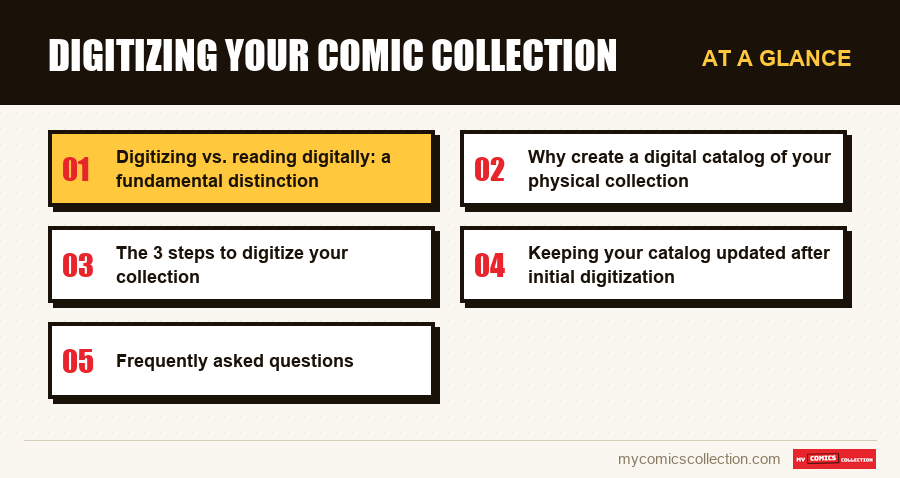
Digitizing vs. reading digitally: a fundamental distinction
Reading digitally means buying digital versions of your comics on dedicated platforms. That's not our subject. Digitizing your collection means creating a digital catalog of your paper comics. You keep your longboxes, your bags and boards, your shelves: you simply also have each issue living in a database you control. It's the same logic as a professional library that owns physical books but manages its holdings through cataloging software.
This distinction matters because the benefits are completely different. A digital catalog doesn't replace your comics: it makes them visible, quantifiable and manageable.
Why create a digital catalog of your physical collection
The first benefit, and the most immediate, is knowing exactly what you own. That may sound obvious, but many collectors have a blurry view of their own collection once it crosses a few hundred issues. How many comics do you own total? Which issues do you need to finish a given series? Do you already have Amazing Spider-Man #23? Without a catalog, these questions have no precise answers.
The second benefit is automatic total value. A good management app like My Comics Collection calculates your collection's estimated value, updated daily, cross-referencing your issues with market prices. You always know what your collection is worth: valuable information for insurance, partial resale or simply the satisfaction of seeing your collection's worth.
The third benefit is duplicate prevention: with your catalog on your phone, you check in seconds, from a shop or convention, whether you already own the issue in your hands. It's one of the most concrete and economical uses of a digital catalog. Your entire collection is in your pocket, accessible anywhere.
The 3 steps to digitize your collection
Step 1: Preparatory physical inventory
Before touching an app, prepare the ground physically. Pull all your comics out of boxes, off shelves, from wherever they are. Do a first rough sort: by series, by publisher, or simply separating comics with barcodes (modern ones) from comics without barcodes (older ones). This prep work can take 1 to 3 hours depending on volume, but it'll save you a lot of time during digital entry.
Use this phase to set aside comics in very poor condition or obvious duplicates you already know you want to resell. The less you have to enter, the faster you'll have a clean catalog.
Step 2: Digital entry
This is the heart of digitization. Two entry modes are available depending on your comics:
The barcode scanner is by far the fastest mode for modern comics (published from the 1980s onward). You open My Comics Collection, activate the scanner and pass your phone over each UPC. The app automatically recognizes the comic, pulls all metadata (title, number, publisher, date, cover) from its 500,000+ comics database and adds it to your catalog. You just need to indicate the issue's condition.
Manual entry is essential for older comics without barcodes. You search for the title in the app's database, select the right issue and fill in the information. It's slower, but the database also covers vintage comics, which makes searching easier.
Step 3: Verification and enrichment
Once initial entry is done, browse your catalog to check consistency. Some scanned barcodes may have been poorly recognized: verify that the displayed cover matches the comic in hand. Fill in missing information: condition for unrated issues, purchase price if you know it, personal notes on specific issues.
This enrichment phase is also a chance to add photos of your most valuable issues: a useful practice for both insurance and any future resale.
Collecting this series?
Track what you own, what you are missing and what your collection is worth. 7 day trial.
Start my trial →How long does digitizing a collection take?
The question everyone asks. Here are realistic estimates based on typical collections:
For 200 modern comics with barcodes: count 2 to 3 hours using the scanner, entry and verification included. In manual entry without a scanner, the same volume will take 8 to 10 hours.
For 500 comics: 4 to 6 hours with scanner, 20 to 25 hours without. The difference becomes very significant.
For 1,000 comics or more: plan for several sessions spread over several days or weeks. With a scanner, a 2-hour session lets you process 150 to 200 comics. Without a scanner, manual entry quickly becomes exhausting and error-prone.
If your collection has a large proportion of older comics without barcodes, add about 50% more time versus these estimates.
Keeping your catalog updated after initial digitization
Initial digitization is a one-off effort. But a catalog that isn't maintained quickly loses its value. Best practices to maintain your catalog over time:
Add every new purchase to the catalog the same day or during a dedicated weekly session. The longer you wait, the more you'll tend to forget details or build a backlog. Remove from the catalog comics you sell or give away. Periodically check values of your collection's key issues: prices evolve and your overall estimate needs to stay current. Finally, do an annual "big review" to catch any inconsistencies or misclassified comics.
Frequently asked questions
The first inventory is indeed a time investment, but it's a one-time effort. Once your catalog is created, keeping it updated takes only a few minutes per week. And the time saved over the following years (in avoided duplicates, simplified searches, easier management) far exceeds the time invested.
That's the case for most collections. The recommended strategy is to start with modern comics (with barcodes) using the scanner to move fast, then handle the older ones manually in a second phase. You'll quickly have a partial but functional catalog, which you then enrich progressively.
My Comics Collection syncs your catalog in the cloud, which means your data is backed up even if you lose or change phones. Your catalog stays accessible from any device logged into your account. Data security is a priority: your information isn't shared with third parties.
No, it's not necessary for the vast majority of issues. The app automatically pulls cover images from its database. That said, photographing your most valuable issues (key issues, first appearances, graded comics) is a good practice for insurance and documentation of their actual condition.