The 3-2-1 rule applied to a digitized comics collection means three copies of your data (the original plus two backups), spread across two different storage types (cloud + encrypted external drive), with one copy stored off-site (geographically separate cloud). GDPR-compliant services worth knowing: Kdrive Infomaniak, pCloud Swiss, Backblaze, OVH Object Storage, Synology Drive. Cryptomator adds a zero-knowledge encryption layer before anything hits the cloud.
A cataloged comics collection represents hundreds of hours of invisible work: scans, personal photos, updated CGC values, purchase notes, appraisal sources. All of that data exists in purely digital form: a CSV file, a SQLite database, a JSON export, sometimes an Airtable base or a Notion workspace. It all fits in a few megabytes, which makes the loss all the more brutal when it happens. A drive that crashes, a suspended cloud account, ransomware encrypting your NAS: without a solid backup plan, a thousand-issue inventory can vanish in minutes and never be rebuilt.
The 3-2-1 rule originated in professional IT backup circles, and it applies without modification to a digitized collection. It doesn't require complex infrastructure: just a simple discipline and three well-chosen services. This guide covers the exact mechanics: what counts as three copies, which different storage types to use, where to place the off-site copy, which European services are GDPR-compliant, and how to add a Cryptomator encryption layer so you stay in control of your data even at the hosting provider's end.
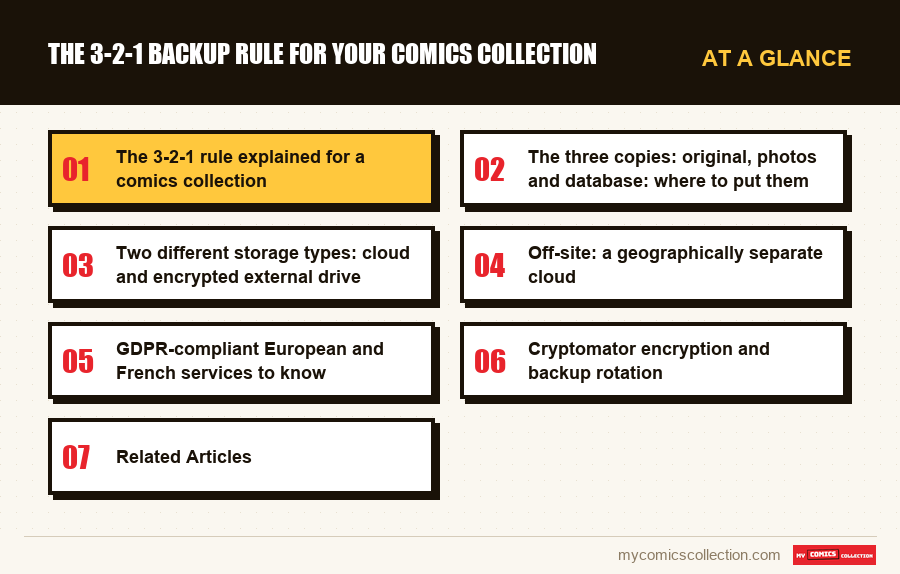
The 3-2-1 rule explained for a comics collection
The 3-2-1 rule distills a minimum backup strategy, one that holds up against the most common disaster scenarios, into three numbers. Three copies of your data, on two technically different storage types, with one copy off-site. The formula was codified by photographer Peter Krogh in the early 2000s to protect digital image libraries, and has since been adopted by IT departments of every size. It remains just as valid in 2026, with no special adjustments, for a comics inventory database.
Why three copies and not two? Because the probability that two storage devices fail at the same time is low, but the chance that a third follows right behind is statistically near zero. A hard drive has an annual failure rate of 1-3% depending on age, an SSD roughly 0.5-1%, and a cloud account averages less than 0.1% major incidents per year. Multiply those probabilities together and you get a total-loss risk below one in a hundred thousand for any given year. Going above two copies sends your security through the roof at negligible marginal cost.
Why two different storage types? Because two hard drives from the same brand, bought at the same time, tend to fail within the same window (same batch, same defects). A drive plus a cloud, or a cloud plus an external SSD, share no common failure mode. That diversification protects against batch defects, firmware failures, and ransomware that can't attack both formats simultaneously.
Why an off-site copy? Because a house fire, large-scale burglary, flood, or lightning strike destroys everything in the same building at once. A copy at a relative's place, at the office, or on a geographically distant cloud takes care of that physical risk. For a comics collector, this copy is also the last line of defense against the scenario where the main application shuts down and you need to rebuild your database with a different tool. The complete comics manager guide notes that data portability is a decisive criterion when choosing a platform.
Adapted for a collector, the formula becomes: the live database in the app (copy 1), a regular export to an external drive at home (copy 2), and an export pushed to a cloud service outside your home (copy 3). This basic setup costs less than ten dollars a month and protects data that often represents thousands of dollars in cataloging history. The Google Sheets spreadsheet method can serve as a universal pivot format for these exports, independent of any proprietary application.
The three copies: original, photos and database: where to put them
Before thinking about services, you need to identify precisely what you're backing up. A digitized collection typically involves three categories of data with different file sizes and update frequencies. Keeping them distinct prevents you from backing up small files too often and large ones not often enough: which wastes bandwidth for no reason.
The CSV file or structured export holds the pure inventory: title, issue number, publisher, year, condition, value, purchase date, price paid, appraisal source. A collection of 2,000 issues typically fits in a file ranging from 500 KB to 2 MB. This is your most valuable copy because it's what lets you reconstruct everything, and it's also the lightest, making it the easiest to duplicate. The guide on exporting your comics collection as CSV covers best practices for generating that file and which fields to always include to preserve the full richness of your data.
Personal photos (showing actual condition, signatures, defects, back covers) weigh anywhere from a few dozen to several hundred megabytes depending on volume and resolution. At a reasonable average of 200 KB per photo, with two or three photos per issue for key issues only, you're looking at a folder of 100-300 MB for a serious collection. These files almost never change once added: they can be backed up as an archive (.zip or .tar) once a quarter, with no urgency.
The application database (SQLite, proprietary file, synced Airtable or Notion base) is the app's native format. It's similar in size to the CSV file but contains internal structures (indexes, relationships, app metadata) that aren't directly readable elsewhere. Keeping a backup of it means you can re-import into the same app without any loss: which is faster than a CSV import. Tools like Airtable or Notion offer their own native exports, which you should keep alongside the CSV.
In practice: copy 1 lives in the application on your primary device. Copy 2 goes to an external drive or local NAS, in a dated folder named backup-comics-YYYY-MM, updated monthly. Copy 3 gets pushed to a cloud service, ideally encrypted before upload. This setup covers every scenario: quick local restore from the drive if the app glitches, remote restore after a disaster, and privacy-preserving restore if there's ever a cloud breach.
Two different storage types: cloud and encrypted external drive
The second pillar of the 3-2-1 rule requires two technically distinct storage types. This diversification matters more than it might seem: a collector who backs up to two USB hard drives of the same model is not protected against a product recall, a bad firmware update, or simple parallel wear. Two different storage types means two technologies, two vendors, and ideally two different access modes.
The encrypted external drive is your fast local base. A 250 GB to 1 TB USB-C SSD is more than enough for decades of cataloging, photos included, and costs between $40 and $130. Full-volume encryption (VeraCrypt on Windows/Linux, or FileVault on macOS) ensures that theft doesn't give anyone access to your data. USB-C 3.2 transfers at 500 MB/s to 1 GB/s, making restores nearly instant even for large databases with photos.
The cloud provides the off-site dimension and makes automation easy. The technical difference from a drive is radical: no physical risk on local hardware, but a dependency on a third-party provider, its business policies, and your internet connection. That difference in failure modes is exactly what the 3-2-1 rule is designed to exploit. If the drive fails or the cloud account gets suspended, the other takes over immediately.
Adding a Synology or QNAP NAS opens up an interesting third option. A NAS combines multiple drives in RAID (typically RAID 1 or RAID 5), which adds internal resilience to individual drive failures, and presents the data as a network folder accessible from every device in the home. For a family collection managed by multiple people (parents, kids, a teenage collector), it often becomes the central archive of record. The comics catalog on this site lets you cross-reference your personal database against a public nomenclature to standardize your fields.
A common mistake is treating two cloud services as "two different storage types." Technically, Google Drive and Dropbox are the same mode (remote object storage, dependent on the internet): they fail the same way during an extended network outage and don't provide real diversification. Cloud + local remains the most robust combination, optionally supplemented by a second cloud for copy 3.
Off-site: a geographically separate cloud
The off-site copy is the one that survives physical destruction of your home. House fire, flood, large-scale theft, lightning strike, ransacking burglary: all of these scenarios simultaneously destroy the primary device, the external drive, and the NAS if they're in the same room. The off-site copy must therefore be several miles away, in another building or in a data center.
The simplest option is public cloud, provided you choose a provider whose data centers are geographically distant from your home. A French collector using OVH Object Storage in Roubaix or Strasbourg, or Infomaniak Kdrive in Geneva, places their data several hundred miles away: well beyond the reach of any regional disaster. For a collection in Paris, choosing a cloud hosted in Bordeaux or Lyon already delivers the expected geographic separation.
A classic trap: using the same cloud that hosts your app's primary sync as copy 3. If the app pushes continuously to Google Drive and you then "back up" to that same Google Drive account, you don't have three independent copies: you have two. An accidental deletion or an attack on that Google account wipes both at once. The rule is strict: the off-site copy must live on a different account, ideally with a different provider, a different password, and its own two-factor authentication.
A non-cloud alternative also works. A USB drive or external drive stored at a family member's home, a trusted friend's place, or in a bank safe-deposit box is a perfectly valid off-site copy. It requires more discipline (physically moving the drive every three to six months to update it), but it's immune to cloud account suspensions, pricing changes, and ransomware that increasingly targets online storage too. For high-value investment collections, this is actually the recommended approach for major annual exports.
One final level for the usefully paranoid: transcontinental geographic redundancy. A European cloud for the primary copy 3, plus an annual deposit to a North American service (Backblaze B2, for example), covers the hypothetical scenario of a continent-scale outage. This strategy is free or nearly free as long as your data stays under the second service's free monthly threshold, and provides an extra margin of safety that's useless on a day-to-day basis but invaluable in a worst-case scenario.
GDPR-compliant European and French services to know
Choosing a European cloud offers two advantages for collectors: native GDPR compliance (right of access, right to erasure, data portability) and a single jurisdiction in case of a dispute. Several solid providers check all these boxes at pricing comparable to the American giants.
Kdrive by Infomaniak (Switzerland). Hosted exclusively in Switzerland, powered by renewable energy, GDPR-compliant. The individual 2 TB plan costs around $6/month: enough for decades of comics backups even with high-resolution photos. The API and desktop client work on Windows, macOS, Linux, iOS, and Android. Encryption in transit and at rest is included, but there's no native zero-knowledge: layering Cryptomator on top fills that gap.
pCloud (Switzerland). Unusual model with a one-time lifetime payment (around $200 for 500 GB forever). For a young collector planning to use the service for thirty years, the total cost is almost laughable. pCloud offers pCloud Crypto as a paid add-on: a client-side encrypted folder with zero-knowledge architecture. Swiss jurisdiction adds an extra layer of protection against extra-European administrative requests.
Backblaze B2 (United States, but a serious backup provider). Not European, but essential in the backup category for its unbeatable pricing (around $6/month per TB, no hidden fees) and its dedicated B2 client built for backup use cases. Combined with client-side encryption beforehand, Backblaze only ever sees unreadable blobs: which sidesteps the jurisdiction concern. Particularly useful as a redundant second off-site copy.
OVHcloud Object Storage (France). French data centers (Roubaix, Strasbourg, Gravelines), full GDPR compliance, pay-per-use model. For a backup in the 5-50 GB range, the monthly bill stays under $2. Usage requires an S3-compatible client (Cyberduck, Rclone, or a sync script), making it more technical than Kdrive. It's the preferred solution for collectors comfortable on the command line.
Synology Drive (self-hosted on a NAS). Not a public cloud, but a compelling alternative. A Synology NAS installed at a relative's or friend's home becomes a private off-site cloud with no monthly subscription. Initial setup is more involved, but recurring cost is zero. For collectors who already have a NAS, this is the most economical copy 3 available.
Whatever service you choose, always verify three things: data center location (EU preferred), encryption policy (in-transit and at-rest as a minimum), and version history (ability to recover previous file versions in case of silent corruption). Any service that doesn't clearly document these three points is one to avoid. A comics collection insurance policy can complement digital protection with financial coverage for physical losses.
Cryptomator encryption and backup rotation
Zero-knowledge encryption before upload is the layer that turns a "pretty secure" cloud into a "definitively opaque" one. The principle: files are encrypted on your local machine, then uploaded in an unreadable form. The hosting provider sees only random blocks, and even a massive provider breach gives an attacker nothing usable. This protection has become accessible thanks to open-source tools like Cryptomator.
How Cryptomator works. You create a virtual vault that looks like a regular folder on disk. Anything you put inside is automatically encrypted with AES-256 and stored as a set of anonymous files in the target storage folder (Kdrive, OVH, Dropbox: doesn't matter). To access your data, you unlock the vault with your master password, which is never sent to the cloud. Cryptomator is free on desktop and costs around ten dollars as a one-time purchase on mobile.
The master password is the single remaining point of failure. Losing it means permanently losing the encrypted data: no recovery procedure on the provider's end, which is the whole point of zero-knowledge. The fix: store the password in a password manager (Bitwarden, 1Password, KeePassXC), with a printed copy of the recovery phrase kept in your home or bank safe. That's an acceptable tradeoff between security and the risk of forgetting.
Backup rotation is the other essential discipline. Keeping a single copy that gets permanently overwritten offers no protection against gradual corruption or accidental deletion that propagates. The standard method: one monthly export kept for twelve months, plus one annual export kept indefinitely. After a few years, this gives you a timeline of your collection that lets you roll back to any recent month or any past year.
A simple implementation: every first Saturday of the month, export the database as CSV, date the file (backup-comics-2026-06.csv), drop it in the Cryptomator vault, and let the cloud sync propagate. After twelve months, the oldest monthly backup graduates to an annual backup and moves into an annual-archives folder kept indefinitely. This routine takes five minutes a month and provides a temporal depth that covers every possible mistake: including the ones you don't notice right away.
The restore test is the last piece that's often skipped. A backup is only valid if it actually restores. Every quarter, open a randomly chosen backup file, verify the contents are readable, import it into a test environment (a separate app install, a different spreadsheet), and confirm the row count and key fields are intact. Without this regular check, you discover your backup's flaws at the exact moment you need it most. For a rigorous valuation of your collection, this discipline preserves the historical traceability that any serious appraisal requires.
FAQ
The minimum budget is roughly $8-15/month for a full setup: $6 for 2 TB of Kdrive or pCloud, $0-2 for OVH Object Storage or Backblaze B2 as redundancy, plus a one-time investment of $40-130 for an encrypted external SSD. Total annual cost stays under $100-200 the first year, and $80-150 in subsequent years. Compared to the cataloging value of a collection worth hundreds or thousands of dollars, it's negligible.
For the local external drive copy, once a month is enough in routine use: plus after any significant cataloging session (post-convention, after a big acquisition). For the cloud copy, continuous automation is ideal: Kdrive or Dropbox clients sync in the background as soon as a file changes. For the Cryptomator off-site copy, once a quarter at minimum, plus whenever you make a major structural change to your database.
Yes, within its scope: right of access, right to erasure, data portability, processing security, breach notification. That protects against misuse by the provider and enforces technical standards. GDPR does not protect against the provider going out of business, nor against the platform losing your data through its own technical error: which is exactly why the 3-2-1 rule requires multiple independent copies, regardless of whatever legal framework you've chosen.
That's precisely the scenario the 3-2-1 rule is designed to handle. Monthly CSV exports and native exports (Airtable, Notion) form a portable base that can be imported into any other tool. Migration time depends on the target format, but no structured data is lost. The only potential loss is personal photos if they're stored exclusively inside the app: which is why they must be backed up separately as a .zip in the Cryptomator vault.
Yes: for the same reason as the cloud copy. An external drive holds your entire digitized collection: theft, leaving it in a car, losing it while traveling all give a stranger complete access to your data. Full-disk encryption with VeraCrypt or BitLocker on Windows, FileVault on macOS, or LUKS on Linux takes ten minutes to set up and doesn't slow down everyday use on modern hardware. Without encryption, the drive becomes the weakest link in your entire strategy.