To manage 500+ comics in Airtable, build four linked tables (Series, Issues, Runs, Characters), turn on Grid views for data entry, Kanban for reading status, and Gallery for covers, add completion and ROI formulas, then wire up an API script for eBay price alerts. The setup takes two to three hours, scales to 3,000 entries without a paid plan, and starts showing its limits beyond that.
In just a few years, Airtable has become the go-to compromise for collectors who want a real relational database without writing code. More powerful than a Google Sheets spreadsheet, more flexible than a dedicated app, it sits in that middle ground where you want to build your own schema, your own formulas, and your own views without being locked into a third-party developer's choices. The promise is appealing, but it comes with a trap: without a structured plan, you quickly end up with a disorganized base that misses out on the benefits of going relational.
This tutorial walks you step by step through building an Airtable base for 500 comics or more, using the real-world case of a collection that mixes Marvel, DC, and Image series, complete runs, and strategic single issues. We cover table modeling, the views that earn their keep day to day, formulas for calculating completion and ROI, API scripts to automate price monitoring, and finally the concrete limits beyond which migrating to a dedicated app like My Comics Collection becomes worthwhile.
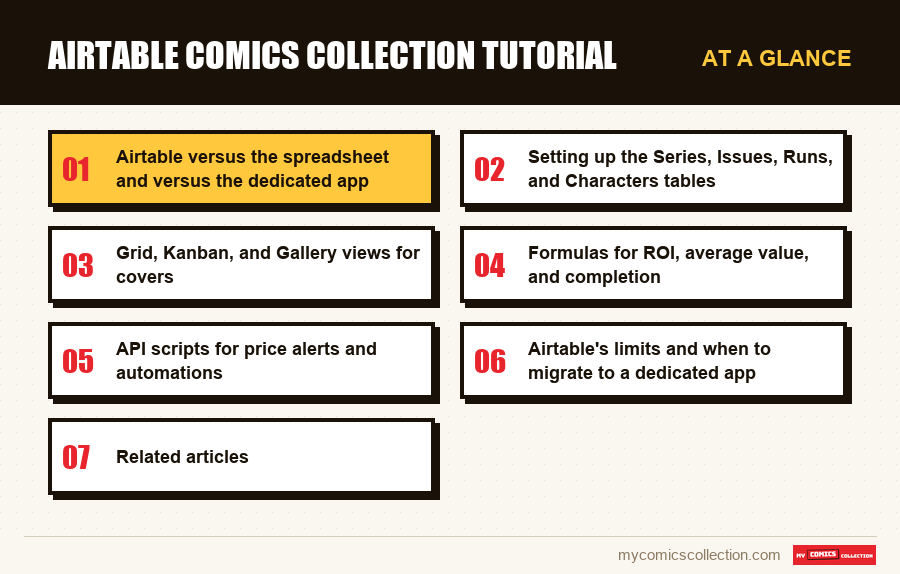
Airtable versus the spreadsheet and versus the dedicated app
Before sinking two hours into setup, you need to understand what Airtable does better than a spreadsheet and worse than a dedicated app. The positioning isn't neutral: choosing Airtable means accepting a deliberate trade-off, not picking a tool that wins on every axis.
Compared to Google Sheets or Excel, Airtable brings three decisive differences. The first is linking between tables: a Linked Record field lets you tie a comic to its series, its creators, or a run without copy-pasting names. When you fix the spelling of a name in the source table, the correction propagates everywhere. On a spreadsheet, you'd have to edit each cell by hand, with the risk of missing some. The second difference is field typing: Airtable natively distinguishes text, number, date, attachment, URL, checkbox, single select, and multi-select. This typing locks down data entry and prevents mistakes (typing VF into a numeric grade column throws an error). The third is multiple views: on the same table, you can switch between a spreadsheet-style grid, a kanban by status, a photo gallery of covers, or a calendar by acquisition date. A spreadsheet offers only one way to look at your data. For a detailed comparison with Google Sheets on the template side, the article Google Sheets comics spreadsheet: template provides the reference layouts.
Compared to a dedicated app like My Comics Collection, Airtable loses on three axes. First, it carries no domain knowledge: it has no idea that Amazing Spider-Man volume 1 runs from #1 (1963) to #441 (1999): you'll have to enter that information by hand or import it from an external export. Second, it has no native valuation: a daily-updated eBay value or a GoCollect value has to be wired in via an API script. Finally, it has no native barcode scanner, which slows down the initial entry of a physical collection. For a cross-cutting Notion-Airtable-app comparison, the article Notion vs comics app: comparison lines up the strengths and weaknesses across ten concrete criteria.
The practical verdict: Airtable is the right call for a collector who enjoys building their own schema, who is past 300 entries but not yet at 2,000, who needs to share their base with a buying partner or an insurer, and who is fine spending one to two hours of tuning per quarter. Below 300 entries, Google Sheets is enough. Beyond 2,000 entries with multiple copies per issue, a dedicated app becomes mechanically more cost-effective. The exact threshold depends on how much time you're willing to allocate to maintaining your own base.
Setting up the Series, Issues, Runs, and Characters tables
The heart of an Airtable comics base is its modeling. Four linked tables are enough to cover 90% of the needs of an ambitious collection. Adding a fifth Copies table becomes necessary when you own several copies of the same issue, but we'll keep the simple version to start.
The 4-linked-table schema
- Series: series_id (Autonumber), Title (Single line), Publisher (Single select: Marvel/DC/Image/Dark Horse/IDW/Indie), Volume (Number), Start_year (Number), End_year (Number), Status (Single select: Ongoing/Completed/Cancelled), Total_issues (Number), Series_cover (Attachment).
- Issues: issue_id (Autonumber), Series (Linked → Series), Number (Text: text because #700.1, #-1 are possible), Publication_date (ISO Date), Arc_title (Text), Page_count (Number), Variant (Single select: Regular/A/B/C/Newsstand/Direct/1:25/1:50/1:100), Physical_condition (Single select: NM/VF/FN/VG/GD/FR/PR), CGC_grade (Number 0.5-10.0), CGC_cert (Text 10 digits), Price_paid (Currency USD), Current_value (Currency USD), Purchase_date (Date), Purchase_source (Single select: eBay/Comic shop/Convention/Private seller), Storage_location (Text: e.g. LB-03/slot 12), Cover_photo (Attachment).
- Runs: run_id (Autonumber), Run_name (Text: e.g. "Hickman Avengers 2012-2015"), Series (Linked → Series), Included_issues (Linked → Issues, multiple), Completion_status (Formula: see formulas section), Personal_note (Long text).
- Characters: character_id (Autonumber), Name (Text), Publisher (Single select), First_appearance (Linked → Issues), Appearance_issues (Linked → Issues, multiple), Importance (Single select: Cosmic/Major/Supporting/Cameo).
The classic Airtable pitfall is dumping everything into an Issues table and handling Series as a simple Single select. That works for 100 comics. Beyond that, metadata changes (renaming a series, fixing a publisher's spelling, adding a "status" attribute to every Marvel series) become unmanageable. The Linked Record relationship is non-negotiable the moment you pass 200 entries. To understand exactly why the flat schema breaks down at that volume, the article build your own comics database breaks down the mechanics.
The second pitfall is confusing Issues (the number as published, identical for every collector) with Copies (the physical copy you own). For a collection without duplicates, Issues doubles as Copies and the 4-table schema is enough. As soon as you acquire a second copy of the same number (reading copy + CGC slab), you need to split them: Issues keeps the editorial metadata, and a fifth Copies table carries the physical attributes (condition, price paid, storage location, current value). It's more work at setup, but it's what keeps you from duplicating the entire record.
On Runs, the common mistake is to model them as a text field inside Issues ("Hickman Avengers"). You then lose the ability to calculate completion automatically, to list every issue in a run, or to generate a wishlist by difference (issues still missing to complete the run). A separate Runs table, with a multiple link to Issues, unlocks these queries in a single formula.
Grid, Kanban, and Gallery views for covers
Airtable's superpower is having multiple views on the same table. A single Issues table can display ten different views depending on the use case. Below are the five essential views to set up from the start.
The Grid view is the default, equivalent to a spreadsheet. Its optimal configuration shows the core columns (Series, Number, Date, Condition, Current value) and hides the secondary ones (page count, story arc, creators). Set the primary sort by Series then Number, and apply a filter by acquisition status so you only see the comics you own. Create dedicated filtered Grid views: "Marvel only," "CGC slabs," "Acquired 2026," "Value > $100." Each becomes a permanent shortcut.
The Kanban view groups cards by the value of a Single select field. Two uses dominate for a collection. First: a kanban by reading status (To read / In progress / Read / Reread multiple times) that turns the base into a planning tool. Second: a kanban by run completion status (To complete / Partial run / Complete run / Run finished) that shows at a glance how far along you are on the sagas you follow. Kanban is also handy for driving a wishlist: columns for "Wishlist," "Spotted on the market," "Offer submitted," "Acquired."
The Gallery view is the one that puts the image front and center. Configure it to display the cover (the Cover_photo Attachment field), the series title, and the number. You get a visual mosaic that radically changes the experience compared to a spreadsheet. The Gallery is especially useful for spotting variants side by side, for prepping a lot sale, or simply for the pleasure of browsing the collection visually. Combine it with a filter by publisher or year for themed galleries.
The Calendar view places comics on a calendar by Publication_date or Purchase_date. On Purchase_date, it reveals the periods of heavy acquisition (often around conventions) and the "gaps" that line up with budget pauses. On Publication_date, it helps reconstruct an editorial chronology (useful for multi-series crossover arcs like Civil War or Crisis on Infinite Earths).
The Form view generates a shareable public URL that serves as a minimalist data-entry interface: handy for an assistant cataloging part of the collection without access to the whole base, or for logging a new purchase from your phone without opening the full Airtable app. For the mobile cross-device dimension, the article sync your comics collection across devices provides the broader framework that complements the native Airtable app.
Formulas for ROI, average value, and completion
Airtable formulas turn a static base into an analysis tool. Three core formulas are worth setting up right at setup: run completion, per-issue ROI, and average value per series.
Run completion is calculated in the Runs table. The Included_issues field is a multiple link to Issues, so its length (COUNT) gives the theoretical number of issues in the run. You then create a Rollup that counts, among those issues, the ones whose "Owned" field is checked. The completion formula becomes: Completion_status = (Issues_owned / Issues_total) * 100. Displayed as a percentage with a conditional formula that turns green above 95%, orange between 70 and 95%, and red below that, it gives you an instant progress dashboard.
Per-issue ROI is written in Issues as a formula field: ROI_pct = (Current_value: Price_paid) / Price_paid * 100. This formula, trivial on paper, lets you answer strategic questions in a single sorted view: what are the ten best investments in the collection? Which series have an average performance above 50%? Is there a correlation between purchase date and performance? To push the analysis further, add ROI_USD = Current_value: Price_paid, which gives the gain in absolute value: more useful when some comics have gone from $5 to $50 (+900%) without representing meaningful capital. The article advanced comics collection statistics details the indicators that go beyond raw ROI, notably publisher diversification and concentration risk.
Average value per series is a Rollup in the Series table: you aggregate the average of the Current_value field across all linked issues. The result gives an average value per number for the series, which serves as an index of the collection's "health" on that series. Cross-referenced with the number of issues owned, it helps you weigh decisions: is adding a $30 issue to a series whose average value is $8 worth it? Probably not if the goal is completion. Probably yes if the goal is targeted investment.
Six useful Airtable formulas for a comics base
- ROI_pct : IF(Price_paid > 0, (Current_value: Price_paid) / Price_paid * 100, 0)
- Acquisition_age_months : DATETIME_DIFF(TODAY(), Purchase_date, 'months')
- Run_completion_status : ROUND(Issues_owned / Issues_total * 100, 1) & "%"
- Grade_category : IF(CGC_grade >= 9.6, "High", IF(CGC_grade >= 8, "Mid", "Low"))
- Undervaluation_alert : IF(Current_value < Price_paid * 0.7, "Review", "OK")
- Priority_score : IF(AND(ROI_pct > 50, CGC_grade >= 9.4), "Top", IF(ROI_pct > 0, "Mid", "Low"))
Formula discipline: name every formula field with a leading underscore (_ROI_pct, _Completion_status) or a suffix (ROI_pct_calc) so you instantly recognize what's calculated versus entered. That way, when you export to CSV or share the base, you know which fields to rebuild and which are raw data.
Collecting this series?
Track what you own, what you are missing and what your collection is worth. 7 day trial.
Start my trial →API scripts for price alerts and automations
This is where Airtable sets itself apart most clearly from a spreadsheet. The Scripts feature (available on the Team plan and up, but also in preview on Free for limited use) lets you write JavaScript that reads, writes, and transforms the base. Combined with the Airtable API and external connectors through Make or Zapier, it enables three automations useful to a collector.
First case: the eBay price alert. A script triggered every night queries the eBay API (search by title + series number), pulls the sold listings from the last 30 days, calculates a median price, and updates the Current_value field for each active issue. If the gap with Price_paid exceeds a threshold (say a 50% drop), a Price_alert field switches to "Review" and triggers an email notification via Airtable Automations. Typical implementation: 80 lines of JavaScript, two hours of tuning, then it runs over the long haul. For collectors who want eBay-based estimates without coding anything, My Comics Collection's valuation estimates each comic from eBay listings with no setup; it shows the figures in the app rather than sending alerts.
Second case: release monitoring. A script reads the Marvel/DC publication calendar from an RSS feed or a web page (via a fetch request), filters for the series present in your Series table, and automatically creates the upcoming Issues in the Issues table with the status "Expected." You no longer have to enter the record manually at the time of purchase: it already exists, you just flip it to "Acquired" and fill in Price_paid. Time saved: 15 seconds per purchase, or one hour a year for 240 purchases. That sounds small, but over five years it's five hours that don't have to go into data entry.
Third case: duplicate detection. A script walks the Issues table, groups by (Series, Number) pair, and lists the pairs appearing more than once. Useful for spotting accidental duplicate copies (bought twice by mistake), but also intentional doubles (reading copy + slab) that should be migrated to a separate Copies table. For securing this critical data in the cloud, the article comics cloud backup: the 3-2-1 rule applies the redundancy principle to Airtable exports.
Beyond scripts, native Airtable Automations (no code) handle simple chains: when an Issue flips to "Acquired," send a Slack notification, create a Notion page, update a Google Calendar. For 80% of needs, Automations are enough and spare you from writing a single line of code. The tipping point toward Scripts arrives when you need complex conditional logic or external API calls.
Airtable's limits and when to migrate to a dedicated app
Airtable is excellent up to a point. Knowing these limits saves you the frustration of discovering the ceiling after sinking 50 hours into setup.
The first limit is quantitative. The Free Airtable plan caps at 1,000 records per base. The Team plan goes up to 50,000 records at $20/user/month. The Business plan reaches 125,000 records at $45. For a collection of 1,500 comics, that's manageable on Team. For a collection of 5,000 comics with multiple copies (a table at 8,000 entries), the cost becomes significant over time. Over five years, that's $1,200 in Team licensing. A dedicated app like My Comics Collection charges a fraction of that, with built-in domain knowledge as a bonus. The economic trade-off tips toward the app beyond 1,500 entries if you extrapolate over five years.
The second limit is functional. Airtable knows nothing about comics. You have to import or manually enter covers, creators, and publication dates. No autocompletion from a barcode, no native eBay value, no pre-wired series database. For 500 comics, that means 10 to 20 hours of initial data entry, even sticking to an optimized workflow. On a dedicated app, scanning a barcode pre-fills the complete record in two seconds. Across 1,500 entries, the difference in entry time is on the order of 40 to 60 hours. On the mobile scanner side, the article CGC comics grading: the complete guide details, as a complement, how to precisely fill in the CGC fields that have no native pre-fill in Airtable.
The third limit is deep relational depth. Airtable supports links at one level, or even two with well-thought-out Rollups. Beyond that, base performance degrades: a Grid view with ten cascading Rollups and 5,000 rows takes two to three seconds to render, which is annoying in daily use. A true relational database (PostgreSQL, SQLite with indexes) remains unbeatable on this front, but demands technical skills. A dedicated app optimized for the comics domain is the no-code compromise.
The fourth limit is continuous valuation. Without an API script to maintain, Airtable doesn't know what your comics are worth today. For an investment-minded collection, that's a deal-breaker. Custom scripts work but require maintenance: eBay API changes, rate limits, authentication updates. Over five years, that's one to two days of tinkering a year. The article investing in comics: a strategic guide explains how continuous valuation changes the perspective on a collection held as a long-term asset.
Four signals that force a migration to a dedicated app
- Volume beyond 1,500 active issues: the Team Airtable license becomes more expensive than a dedicated app over 5 years.
- Multiple copies per issue (5% of the base or more): the separate Copies table weighs down the schema and the queries.
- Need for a live value recalculated every week: maintaining an API script becomes a recurring chore.
- Initial entry projected at > 20 hours: the lack of a barcode scanner and a pre-wired database multiplies the cost of entry.
The ideal moment to migrate is before you've built 20 custom views and 30 formulas. The further along your Airtable setup is, the stronger the inertia against migrating. CSV export remains possible at any time from Airtable, and an app like My Comics Collection accepts a direct import with no loss. To prepare the transition without breaking your existing workflow, see explore the built-in comics catalog, which gives a taste of what domain knowledge brings on the pre-wiring side.
Investment disclaimer. This article provides methodological guidance on modeling a collection in Airtable. The examples of ROI formulas, alert thresholds, and average value are technical illustrations and do not constitute financial advice. The value of a comics collection moves with unpredictable factors (movies, scarcity, fads), and no projection can guarantee a return. For any significant wealth-management decision, the opinion of a licensed expert or an investment advisor remains necessary.
FAQ
How much does Airtable cost to manage 500 comics?
The Free plan allows up to 1,000 records per base, so a collection of 500 comics fits for free, as long as you have only one copy per issue. If you add a separate Copies table to manage multiple copies of the same number, you can exceed the cap and have to switch to the Team plan at $20/user/month. For a passive collection with no automations, the Free plan lasts two to three years. Beyond that, API scripts and views shared with an assistant justify going paid.
Does Airtable work offline on mobile?
Partially. The Airtable mobile app for iOS and Android lets you view bases already loaded in cache and enter new records that sync when the connection comes back. But complex views with Rollups and Linked Records may not render correctly while offline. For cataloging at a convention with no reliable Wi-Fi, the experience is less smooth than with a native app designed offline-first. Offline mode remains a weak spot for Airtable compared to dedicated apps.
Can you import an existing CSV into Airtable?
Yes, CSV import is one of Airtable's strengths. Mapping columns to the table's fields is manual but visual: you drag each CSV column onto the matching field and confirm. Linked Records aren't created automatically from the CSV: you first have to create the Series and Characters tables, then import Issues and link them manually afterward (or via a post-import script). For a collection of 500 rows, count on two hours of import and tuning. Pre-normalizing the CSV (publisher names, creator spellings) before import saves a lot of corrective work.
What's the difference from Notion for a comics collection?
Airtable is a database disguised as a spreadsheet; Notion is a note-taking tool that includes databases. For 500 comics structured with formulas and automations, Airtable wins clearly: its formulas are more powerful, its views more varied, its Linked Records faster. Notion is a better fit when the collection is small, loosely structured, and mixed in with editorial notes (reviews, reading recommendations). The comparison is detailed in the Notion vs comics app comparison article.
Do you need the Airtable Pro plan for scripts?
Airtable Scripts are available starting with the Team plan ($20/user/month). The Free plan allows limited use of community scripts but not unlimited creation of custom scripts. For a serious implementation of automations (price alerts, release monitoring, duplicate detection), the Team plan is required. The dedicated-app equivalent bundles these functions at no extra cost and with no maintenance, which becomes the strongest economic argument beyond 1,500 entries.