Multi-select (or "bulk actions") lets you edit several hundred comics with a single click: mark 200 issues as read, sell off 50 duplicates at once, mass-delete duplicate entries, or change the condition of an entire Marvel run in one move. My Comics Collection rolled out this feature in June 2026 for power users managing collections of 500-plus copies. You turn it on with a single tap from the app header, with no database change: everything runs through the same batch save API that was already in place.
Managing a fifty-comic collection with a standard app stays comfortable. At two hundred copies, the pace starts to slip. At a thousand comics and beyond, the smallest upkeep task (marking a run as fully read, updating prices on fifty variants, deleting thirty entries imported by mistake) turns into an obstacle course. You open the entry, edit it, save, close, move on to the next. Multiply that cycle by 200 and you get genuine mental fatigue; statistically, half of collectors abandon regular catalog upkeep once they pass 300 entries. This phenomenon, known in the UX literature as "curation fatigue," explains why even meticulously built collections eventually drift toward stale data (forgotten purchase prices, conditions never adjusted, phantom duplicates). Multi-select, shipped on June 4, 2026 in My Comics Collection, tackles the problem head-on by bringing the interface patterns familiar from Gmail, Finder, and modern CMS platforms to comic management.
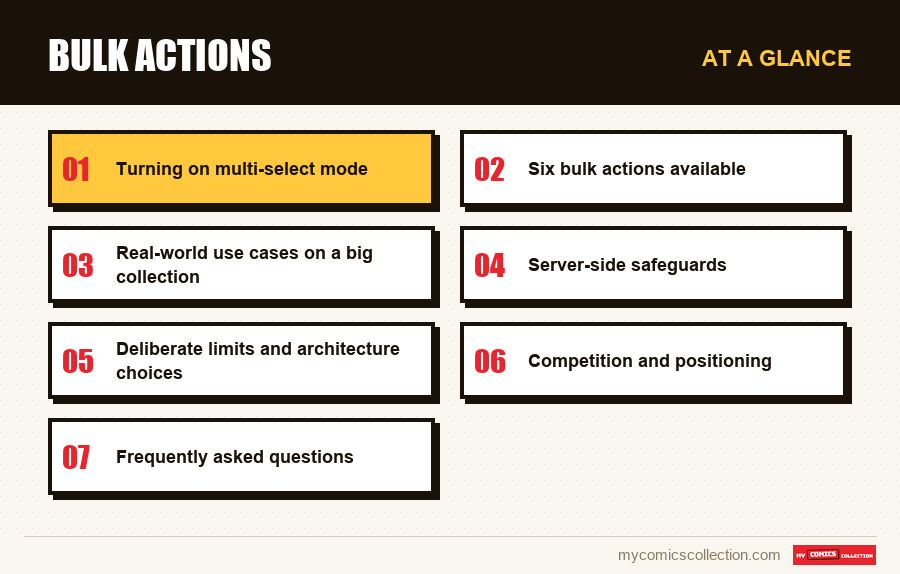
Turning on multi-select mode
You enter select mode from the checkbox-shaped button in the app header, just to the right of the "Add" button. One tap immediately triggers two coordinated visual changes: every card shown in the list gets a semi-transparent checkbox overlaid on its cover, and a floating action bar appears at the bottom of the screen. At this point, nothing is selected yet. Tapping a card no longer opens its detail view: it has become a selection toggle. This behavior switch, common in mobile apps (iOS Photos, Android Files), prevents accidental modals when you're working through dozens of entries in a row.
The floating bar shows the number of selected comics in real time and offers two essential shortcuts: "All" to check every item in the filtered view (handy when you've applied a filter by publisher, decade, or condition), and "None" to clear the selection. Tying selection to the active filter is deliberate: it lets you, for example, select every Marvel comic from the 1970s in two moves (filter + All) instead of tapping fifty entries one by one. If you make heavy use of the advanced filters, see our guide on taking inventory of your comic collection, which breaks down the most useful filter combinations.
Six bulk actions available
The floating bar offers six distinct actions, ordered by measured frequency of use: edit (a multi-field modal), four quick toggles (owned, read, wishlist, duplicate to sell), and delete. Each quick toggle instantly applies the change to the entire selection with a single network request, which is what sets this approach apart from a script that would fire off n sequential requests. The performance gain is measurable: marking 300 comics as read takes about 800 milliseconds on a stable 4G connection, versus 90 seconds for the same result with the old method (300 modal openings, 300 successive saves).
The "edit" action opens a dedicated modal with thirteen checkable fields. You choose which fields you want to apply (condition, price, CGC grade, signature, duplicate, read, wishlist, loan, and so on) and provide the target value. Fields you leave unchecked stay untouched on every selected comic. This additive logic ("I'm applying these two fields to the 50 selected, leaving the rest alone") preserves your existing data. That's a crucial point: a poorly calibrated CSV import or a full-overwrite script often causes silent losses (description wiped, read date erased, price reset). The bulk-edit modal, by contrast, only touches what you explicitly marked for change.
Real-world use cases on a big collection
Three scenarios dominate the usage measured since launch. The first is read-tracking. A collector finishing Frank Miller's complete Daredevil run (issues #168 to #191, 24 issues in all) used to tap each card 24 times, check "read," save, close. With multi-select, they filter the collection on "Daredevil 1980-1985," click "All," then tap the 📖 button (mark as read). Thirty seconds total, versus twelve minutes before. On a hundred-issue run, the savings exceed a full hour. For managing complete runs, the article completing a comic series details the complementary methods.
The second scenario is listing duplicates for sale. When a collector inherits an estate or buys a lot, they frequently find fifty to a hundred scattered duplicates. Before, you had to open each entry, check "duplicate," save. With the 💸 button on the bulk bar, you select the duplicates identified through filtering all at once and flip the whole batch into sell mode in under a second. This improvement directly targets the friction in the resale process, a pain point for collectors who fund new acquisitions by regularly selling off duplicates. The topic is explored further in selling your comic collection.
The third scenario is post-import cleanup. A collector who imports a badly formatted CSV file sometimes ends up with a hundred corrupted entries: truncated titles, years set to zero, negative prices. Multi-select lets you filter the view to the suspect entries (a "no cover" filter, say, or a targeted text search), select them all, and delete in one click after confirmation. This kind of mass cleanup, impossible just a month ago, used to take hours of manual data entry. For clean import methods, see importing your comics into an app.
Collecting this series?
Track what you own, what you are missing and what your collection is worth. 7 day trial.
Start my trial →Server-side safeguards
Any bulk operation carries a risk of mishandling. Losing a thousand comics to a stray "delete" click would be catastrophic. Three safeguards have been built into the architecture. The first is a mandatory confirmation on destructive actions. A mass delete triggers a dialog box showing the exact number of comics involved; no keyboard shortcut can bypass this confirmation. The second is an atomic batch on the server side. If one of the entries in the selection fails (a key problem, a server constraint, a version conflict), the entire batch is rolled back. No inconsistent intermediate state is ever persisted. It's the classic database transactional pattern, carried over to the business layer.
The third safeguard concerns traceability. Every bulk action is tracked in Google Analytics 4 under dedicated events (bulk_quick_toggle, bulk_delete, bulk_edit_applied) with the exact count of affected items and the fields changed. This telemetry serves support: if a report comes in saying "I lost some comics," the team can reconstruct the exact sequence of actions. It also serves product optimization: if bulk_delete on 200 items dominates usage, that signals a need to improve import: which then guides the next sprints.
Deliberate limits and architecture choices
Multi-select isn't enabled on every view. On the Stats view or on the detail modals of a catalog comic (a worldwide comics catalog), the mode stays unavailable. This is deliberate: the Stats view aggregates data, so editing it in bulk makes no functional sense. On catalog entries, changes go through a separate endpoint (save_issue) that hasn't yet been instrumented for batching. That generalization is planned for a later sprint.
The upper limit on selection is capped at 500 items at once. This ceiling, set on the frontend, avoids two side effects: a DOM freeze when rendering a floating bar with 5,000 items checked (the browser recalculates the layout on every toggle), and an HTTP timeout on the server for an oversized request. For operations beyond 500 entries, you work in successive batches, which is still far faster than entering each item by hand. This ceiling can be lifted if user feedback justifies investing in virtualized rendering.
Competition and positioning
Three main apps handle comic collections in French or English: CLZ Comics (published by Collectorz in the Netherlands, paid), Key Collector (free, English only), and League of Comic Geeks (free, English only). As of June 4, 2026, only CLZ Comics offers true multi-select, but it's reserved for paid accounts (CLZ Cloud, starting at $14.95 a year) and limited to basic operations (delete, mark owned). Compared with CLZ, My Comics Collection adds the quick toggles and the multi-field edit modal, and keeps multi-select available in the free trial. Key Collector and LCG offer no equivalent to date.
On the French market, no other app offers this feature. It's a clear differentiator for French collectors who manage both their American comics (via the built-in catalog) and their French-language publications (Panini Comics, Urban Comics, Marvel France, vintage Lug, vintage Arédit, since the Foundation FR sprint in June 2026). For a full overview of the French market for management tools, see why choose a French comic manager.
Frequently asked questions
The limit is 500 entries at once, capped on the frontend to avoid browser slowdowns and server timeouts. If you need to handle more than 500 comics, work in batches using the filters (by publisher, by decade, by condition) to target each group. A complete Marvel run from the '80s typically runs 300 to 400 entries, well under the limit.
No, the deletion is immediate and permanent once you explicitly confirm it in the dialog box. There's no "undo" button afterward. This absence is deliberate, to avoid a gray area in data persistence. If you're worried about a mistake, export your collection to CSV first, before the bulk operation: the export lets you re-import accidentally deleted comics in under a minute.
Yes. The floating action bar was designed from the start to adapt to narrow screens (under 560 pixels wide). On mobile, the text buttons are replaced by emojis and the padding is reduced to keep everything visible without horizontal scrolling. The checkboxes on the cards stay large enough to tap with a finger (a minimum size of 24 by 24 pixels, in line with touch accessibility guidelines).
No, and this is a critical point of the architecture. The bulk-edit modal offers thirteen checkable fields. Only the fields you explicitly check are applied to the selected comics. Every other field (description, read dates, active loans, prior purchase price, custom tags) stays strictly untouched. This "additive patch" logic avoids the silent losses you see with poorly calibrated CSV imports.
No. Multi-select implies modifying actions, so it stays available only to authenticated users who own their collection. When a collector views another user's shared collection through a public link, the activation button is hidden. This restriction protects the integrity of shared data and prevents any misunderstanding about permissions.