The phone has changed the way we collect comics. Not just because we spend time browsing forums or online shops on it, but because a good mobile app concretely transforms every flea market outing, every stop at a specialty shop, every weekend at a convention.
Managing your comic collection from your phone: what you can really do
The phone has changed the way we collect comics. Not just because we spend time browsing forums or online shops on it, but because a good mobile app concretely transforms every flea market outing, every stop at a specialty shop, every weekend at a convention. What you can do with your collection from your smartphone goes well beyond what most collectors imagine. Here's an overview of real uses, the ones that truly make a difference.
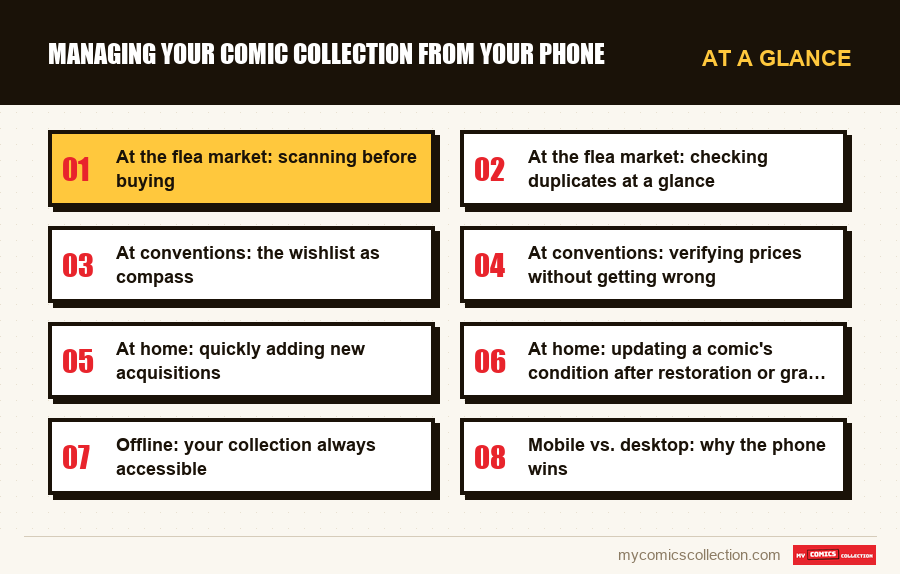
At the flea market: scanning before buying
The flea market is where the mobile app shows its utility best. Picture this: you come across a box of comics on a table, priced at $1 each. How do you know in 30 seconds what's worth taking?
With My Comics Collection, you pull out your phone and start scanning. For each comic, the app tells you instantly whether you already have it, avoiding duplicates, and displays the estimated value based on condition. An issue that seems unremarkable can be worth $15 or $20 in good condition. Another you thought rare can turn out to be common and not in demand. Without this info at hand, you buy blind. With the app, each scan is an informed decision.
Burst scan mode is particularly valuable in these situations. You can process an entire stack in a few minutes, setting aside interesting comics as you go. No desktop app can offer you that in the field.
At the flea market: checking duplicates at a glance
Among the most frustrating collector mishaps: coming home with a comic you already own. With a collection of a few hundred copies, it's impossible to memorize each issue of each series. The app does that work for you.
As soon as you scan a comic, the duplicate alert appears if you already have it in your catalog. This check takes less than a second. In one flea market morning, this feature alone can save you tens of dollars in unnecessary purchases.
For collectors who make regular purchases/sales, the app also lets you check whether a copy would be a good piece to add for completing an ongoing run, directly from your wishlist accessible in one tap.
At conventions: the wishlist as compass
A comic convention concentrates booths, comics and opportunities. It's also an environment where it's easy to get carried away by enthusiasm and buy nice-but-not-priority pieces, while the truly sought-after issues escape because you didn't have them in mind.
My Comics Collection's wishlist becomes your compass. Before arriving, you've linked your incomplete series and you know exactly which issues are missing. On site, you consult the list by series and search methodically. When a seller tells you "I have the whole X run," you verify in two seconds whether it really interests you or whether you already have most of it.
At conventions: verifying prices without getting wrong
Prices at conventions vary enormously from booth to booth. Some sellers set prices above market banking on atmosphere and impulse buying. Others, conversely, offer prices below value because they want to move stock quickly.
Having daily-updated values on your phone completely changes the negotiation dynamic. When a seller offers an Amazing Fantasy #15 at a high price, you can verify whether it's consistent with the current market. When you stumble on a nice piece at a "reasonable" price, you confirm it's actually a deal. This information gives you confidence in your buying decisions and protects against abusive prices.
At home: quickly adding new acquisitions
Coming home from an outing with fifteen comics in a bag and adding them to the catalog the same evening is a pleasure when the operation is fast. On mobile, the process is simple: you open the app, activate the scanner, pass each comic in front of the camera. In ten minutes, your fifteen acquisitions are cataloged, conditions noted, duplicates flagged if any.
The fluidity of this experience on mobile is clearly superior to what a desktop interface offers. No need to be seated at a computer: you can do it from your couch while storing your purchases in their protective sleeves.
Collecting this series?
Track what you own, what you are missing and what your collection is worth. 7 day trial.
Start my trial →At home: updating a comic's condition after restoration or grading
A comic sent for grading comes back with its CGC slab and an official grade. You open the app, find the corresponding entry in your catalog, and update the condition and grade in a few taps. The estimated value recalculates automatically. This kind of occasional update is much more pleasant on mobile than in an Excel spreadsheet or a clunky web interface.
Offline: your collection always accessible
WiFi connections are finicky at conventions, and your data can saturate if you scan a lot. In its iPhone and iPad app, My Comics Collection also works offline: an encrypted copy of your collection stays readable even without connection, so you can check your duplicates on the spot. New entries wait until you find a connection again.
It's a detail that sounds trivial but that, in the heat of a packed convention or at the bottom of a flea market warehouse with zero bars, makes all the difference.
Mobile vs. desktop: why the phone wins
A desktop interface has its advantages: large screen, ease for detailed statistics, comfort for long searches. But the phone is the active collector's daily tool. It's always in your pocket. It accompanies you where the comics are: in the field, in shops, at conventions. That's where buying decisions are made, and that's where having your complete interactive catalog really makes the difference.
The ideal remains an app that works equally well on mobile, desktop or tablet, with instant sync between all devices. My Comics Collection is designed with this logic: you start a scan on your phone at a flea market and find your new entries in the evening on your tablet to enrich the information.
Frequently asked questions
Partly. In the iPhone and iPad app, My Comics Collection keeps an encrypted copy of your collection that you can consult without a connection, which is enough to check for duplicates. That copy is read-only: new entries and scans wait until you are back online. Handy at conventions and flea markets where connection can be unstable.
My Comics Collection's scanner uses your phone's native camera and adapts to different lighting conditions. Outdoors, reflection on protective plastics can sometimes hinder reading: in that case, tilt the comic slightly to remove the glare. In dark environments, activate your phone's flashlight to improve reading. In the vast majority of situations, the scanner works properly in a few seconds.
Yes. From the mobile app, you can generate a sharing link to your wishlist or public collection. This link can be sent by message or email to other collectors, posted on forums or community groups. Very handy at conventions to signal to a seller or friend what you're actively seeking.
Yes, sync is automatic and real-time as soon as you're connected. Everything you add or modify on your phone appears immediately on the web interface and vice versa. You have no manipulation to do: your catalog is always identical on all your devices.