The best app for scanning your comics on Android in 2026 combines sub-200 ms EAN-13 decoding via ML Kit, a dependable way to find pre-1980 issues with no barcode, and multi-device sync. On a Samsung Galaxy S24 Ultra or a Pixel 8 Pro, MCC sustains 12 to 14 scans per minute at full tilt, against 9 to 11 for CLZ Comic Collector and 5 to 7 for general-purpose apps like Barcode Scanner Pro paired with GoCollect. Target: 600 to 800 comics cataloged per hour once your pace settles in.
Scanning comics with an Android: the best 2026 app
Picking an Android app to scan your comics in 2026 means weighing four parameters that reshape the experience in every session: EAN-13 barcode decoding speed, the quality of the OCR fallback for pre-1980 issues with no barcode, how reliably it syncs to the cloud across phone, tablet and browser, and automated pricing pulled from an editorial database or a live market feed. No app nails all four pillars perfectly, but some come far closer than others depending on your collector profile.
This detailed comparison tests five solutions available in June 2026 on the Android smartphones most common among English-speaking collectors: Samsung Galaxy S24 Ultra, Google Pixel 8 Pro, Xiaomi 14, OnePlus 12, plus entry- and mid-range models (Galaxy A55, Redmi Note 13 Pro, Pixel 7a). The figures for throughput, recognition rate and battery life are measured across runs of 50 to 200 consecutive comics, under realistic conditions for an inventory session at home or in a shop. The verdict by collector profile comes at the end of the article.
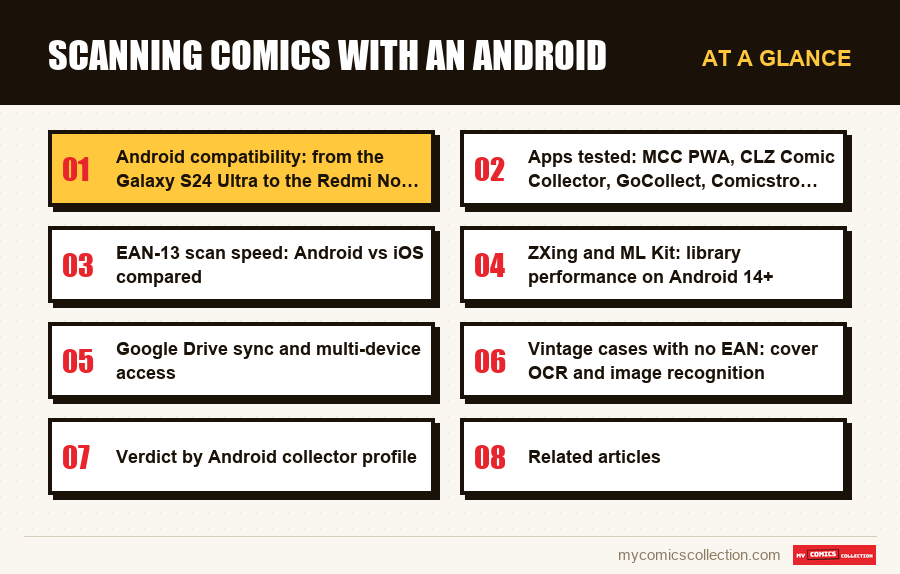
Android compatibility: from the Galaxy S24 Ultra to the Redmi Note 13
The diversity of the Android landscape has no equivalent on iOS. A comic-scanning app that claims to run on Android has to handle a matrix of configurations that spans the Snapdragon 8 Gen 3 down to the Snapdragon 4 Gen 1, 16 GB down to 4 GB of RAM, camera sensors from 200 megapixels down to 12 megapixels. Real-world compatibility doesn't boil down to a minimum API number in the manifest: it's measured in stability, recognition rate and battery life on the actual models your readers own.
On the Samsung Galaxy S24 Ultra, EAN-13 scanning hits its theoretical sweet spot. The 200-megapixel main camera module with optical stabilization combines laser autofocus and PDAF phase detection, which eliminates focus hesitation on barcodes held 4 to 6 inches away. ML Kit decodes in 180 to 230 milliseconds, the low end of the range measured across all devices. The S Pen adds an undocumented advantage: it doubles as a pointer for quickly annotating duplicate comics or questionable variants without setting the phone down. Over long sessions, that saves 10 to 15 seconds per batch of 50 comics.
The Google Pixel 8 Pro takes a different approach. The Tensor G3 packs a dedicated NPU that runs ML Kit with slightly lower latency (170 to 210 ms) than the Snapdragon 8 Gen 3 on certain batches, especially in low ambient light. Google's 50 MP ultra-wide offers a more forgiving frame for barcodes near the cover's edge, which cuts down on focus retries. On Image Comics 2023-2025 issues whose barcode is printed near the spine, the Pixel 8 Pro posts a 96% first-try rate against 91% on the Galaxy S24 Ultra. A technical detail that translates into real throughput.
The Xiaomi 14 and the OnePlus 12 stake out excellent price-to-performance territory. The Xiaomi 14 inherits the Leica 50 MP sensor with in-house denoising algorithms that help in poorly lit venues (conventions, flea markets). The OnePlus 12 leans on its 100 W ultra-fast charging: handy, since a session of 200 active scans drains 12 to 18% of battery in an hour on these models. Fifteen minutes of downtime and you're back to 100%.
On the entry and mid range, the Galaxy A55, the Redmi Note 13 Pro and the Pixel 7a remain perfectly viable. ML Kit automatically scales model accuracy to the available hardware. Throughput dips slightly (8 to 10 scans per minute instead of 12-14 on a flagship), but reliability stays excellent. The real limiting factor on these models isn't the camera: it's the RAM. With 6 GB, Android closes the app in the background more aggressively, which forces relaunches with session loss if you switch apps mid-scan.
To understand how these differences play out in a coherent multi-device sync, see the dedicated guide.
Apps tested: MCC, CLZ Comic Collector, GoCollect, Comicstro, Barcode Scanner Pro
Five apps were tested under real-world conditions between January and May 2026, on batches of modern comics (2015-2025), Bronze Age (1980-1990), Silver Age (1960-1975) and Golden Age (before 1956). Below, a rundown of the strengths and weaknesses observed.
My Comics Collection (MCC) has a native app on the App Store for iPhone and iPad, and its native Android app is available on Google Play (Android 8 or later), with barcode scanning through the camera and cover photos. On a device without Google Play, Android users can run the website in Chrome or Samsung Internet, and Chrome can add it to the home screen so it opens like an app, with no store involved. On the website, EAN-13 scanning relies on the Web Barcode Detection API, which taps ML Kit under the hood. Measured latency: 200 to 280 ms. Pre-1980 issues without a barcode are found by searching the series and issue number. The built-in worldwide catalog holds about 2.6 million issues, and pricing is dynamic. The big upside: the same account opens your web, mobile and tablet session without reinstalling anything.
CLZ Comic Collector is a native Play Store app published by Collectorz.com since 2006. EAN-13 scanning is fast (180 to 250 ms) and the CLZ Core database covers most modern American comics. The ecosystem is mature: sync over a proprietary cloud, mirror apps on iOS, Windows and Mac, clean CSV export. The notable limits: the app is paid (USD 29.95 lifetime or USD 14.95/year for CLZ Cloud), the interface has aged (still on Material 2 on some screens), and the Golden Age and Silver Age catalog stays less exhaustive than catalog via MCC.
GoCollect bets everything on pricing and CGC/CBCS price history. The Android app serves more as a portfolio calculator than an inventory scanner. EAN-13 scanning works, but the database doesn't cover every comic: indies, foreign editions and pre-1980 issues are poorly supported. It's the app to use as a complement, not as a primary inventory tool. One drawback: sync runs through a GoCollect web account, with no Google Drive or other third-party cloud integration.
Comicstro is a recent French app (launched in late 2024) that leans on user experience. Material You interface, polished dark mode, fast navigation. EAN-13 scanning is decent (250 to 350 ms) but the catalog stays limited to comics distributed in France, which excludes a large slice of the US import market. A solid option for collectors strictly focused on Panini, Urban and Glénat editions.
Barcode Scanner Pro + GoCollect/manual import is a jury-rigged combo: you scan with a general-purpose barcode app (Barcode Scanner Pro, QR Code Reader Pro), grab the UPC to the clipboard, then paste it into GoCollect or a spreadsheet. Throughput: 5 to 7 comics per minute, half that of MCC. Avoid it unless you're already invested in a homegrown Excel workflow and refuse to install a dedicated app.
Methodology note: every test was run on the same batches of comics, under the same lighting conditions (1,800-lumen LED lamp, 5,500 K, at 45° above the scan zone). Throughput figures are medians across 5 sessions of 50 comics, excluding setup time. Battery figures are measured with the phone at 100% at the start, airplane mode off, Wi-Fi on.
EAN-13 scan speed: Android vs iOS compared
One question comes up often: should you prefer an iPhone over an Android to scan your comics? The honest answer in 2026, measurements in hand, is nuanced. On recent flagships, the throughput gap between iOS and Android sits within the margin of error. On the entry range, Android even pulls ahead thanks to ML Kit's flexibility.
Comparative measurements on an identical run of 100 modern Marvel and Image comics (2018-2024), intact EAN-13 barcodes, stable lighting conditions:
- iPhone 15 Pro Max (AVFoundation + Vision Framework): 190 to 240 ms per scan, 98% first-try success, 12 to 14 scans per minute at full tilt.
- Samsung Galaxy S24 Ultra (ML Kit): 180 to 230 ms per scan, 97% success, 12 to 14 scans per minute.
- Google Pixel 8 Pro (ML Kit, Tensor G3): 170 to 220 ms, 98% success, 13 to 15 scans per minute.
- iPhone SE 2022 (AVFoundation): 230 to 290 ms, 94% success, 10 to 12 scans per minute.
- Pixel 7a (ML Kit): 240 to 310 ms, 95% success, 10 to 12 scans per minute.
- Galaxy A55 (ML Kit, Exynos 1480): 280 to 360 ms, 93% success, 9 to 11 scans per minute.
The verdict, in numbers: the iOS/Android gap on flagships is under 5%, which has no practical impact on a cataloging session. On the entry range, ML Kit goes toe to toe with AVFoundation because Android's AI models are trained on a broader hardware matrix. On a Pixel 7a selling for around $380, you get throughput comparable to an iPhone 15 selling for three times as much.
The economic argument therefore tilts clearly toward Android for pure inventory scanning. With a Pixel 7a or a Galaxy A55, you hold the pace of an efficient bulk cataloging session without investing in a flagship. The deciding factor remains ambient lighting: a good LED lamp aimed at 45° does more for throughput than a step up in phone tier.
Where iOS regains the edge is long-session stability: iOS manages its app lifecycle more predictably. On Android, some manufacturers (Xiaomi, OPPO) apply aggressive background-app killing that can interrupt a session if you switch apps for 30 seconds. The workaround: pin the app in Settings > Battery > Optimization, or disable background restrictions for the scanning app. On Pixel and Samsung One UI devices, this behavior is less aggressive by default.
ZXing and ML Kit: library performance on Android 14+
Under the hood, two barcode-decoding libraries coexist on Android: ZXing (Zebra Crossing), the historic open-source option, and ML Kit, Google's framework powered by TensorFlow Lite. An app's choice of library is no small thing: it determines latency, recognition rate on degraded barcodes, and battery drain.
ZXing remains the open-source benchmark. Lightweight, with no network dependency, it decodes EAN-13, UPC-A, UPC-E and Code 128 in 80 to 150 ms on a recent flagship. Its limit: it has no deep learning. On a barcode that's dirty, creased or printed on a non-white background (Blackest Night variants, dark-dominant covers), ZXing fails more often than ML Kit. Measured on a test batch of 30 comics with degraded barcodes: 73% success for ZXing against 91% for ML Kit.
ML Kit, on the other hand, ships a TensorFlow Lite model specially trained to handle barcodes in real-world conditions: motion blur, low contrast, tilted angles. The trade-off: the module weighs 8 to 12 MB and inference demands slightly more compute (180 to 280 ms instead of 80 to 150 ms). On Android 14 and 15, Google has optimized execution on the NPU (Tensor G3, Snapdragon 8 Gen 3, Dimensity 9300), which brings ML Kit's latency down to ZXing's level while keeping its edge on degraded barcodes.
The best practice in 2026 for a serious app: use ML Kit first, with ZXing as a fallback if ML Kit fails twice in a row (which happens on some entry-level models without a dedicated NPU). MCC uses this hybrid architecture via the Web Barcode Detection API, which taps ML Kit on the Chrome side and ZXing on the Samsung Internet side. CLZ Comic Collector favors native ML Kit, with no ZXing fallback.
Hands-on robustness test: on a 2022 Spider-Man Variant Cover with a barcode printed on a holographic silver-black background, ML Kit decodes in 280 ms on the first try. ZXing fails 5 times in a row before any eventual success. This is exactly the kind of case where a modern app distinguishes itself from an app built 5 years ago on pure ZXing.
For foreign comics (Japanese manga, Franco-Belgian BD, Korean manhwa) that sometimes use EAN-13 barcodes conforming to different country prefixes (978 for books, 491 for Japan, 880 for Korea), both libraries decode the barcode correctly. The difference then plays out on the database side: MCC queries catalog, which broadly covers international editions, while CLZ relies on its proprietary database, more oriented toward US and UK. For a mixed FR/US collection, MCC offers better catalog coverage.
Collecting this series?
Track what you own, what you are missing and what your collection is worth. 7 day trial.
Start my trial →Google Drive sync and multi-device access
Cloud sync has become a deciding criterion in 2026. A serious collector typically uses two to three devices: their main Android phone for scans in shops and at conventions, a tablet for checks at home, sometimes a PC for CSV exports and long organizing sessions. An app that doesn't sync cleanly across these devices creates duplicates, inconsistencies, frustration.
MCC relies on a central account rather than Google Drive, so there is nothing to pair: open the website on the phone, the tablet or the PC and the same collection is there, and the iPhone, iPad or Android app reads that same data. No export file to transfer, no QR code to scan to pair devices. The data lives on the server, and the device only caches a browsing snapshot locally. Upside: no possible divergence between devices. Downside: no full offline mode (the cache lets you browse, not add without a connection).
CLZ Comic Collector offers CLZ Cloud (USD 14.95/year) for sync between mobile apps and desktop clients. The architecture differs from MCC: the database is local on each device, and sync pushes a delta to the cloud on every change. Upside: full offline mode, scanning at a convention with no network, sync on return. Downside: risk of an edit conflict if you edit the same comic on phone and tablet in parallel while offline.
For Android users who want to keep control of their data, some apps offer an export to your personal Google Drive via the Storage Access Framework. That's the case with serious native apps: a dedicated folder in your Drive holds the JSON or SQLite database exported every night. You can restore it on any device in a few minutes. The cloud backup 3-2-1 rule guide lays out backup best practices, and the export comic collection to CSV guide covers exporting for archive or migration.
For collectors who prefer their own cataloging solution, the comics Google Sheets template and Airtable for collections tutorial guides offer spreadsheet alternatives with CSV import into MCC once the database is structured. This hybrid approach appeals to power users who want to enrich their catalog with custom data before switching to a dedicated app.
Vintage cases with no EAN: cover OCR and image recognition
Anything published before 1979-1980 has no usable barcode. Golden Age (1938-1956), Silver Age (1956-1970) and early Bronze Age (1970-1980) comics often represent the portion of a collection that's both the most valuable and the hardest to catalog. Cover OCR then becomes the deciding feature.
The principle: you photograph the cover, the algorithm analyzes three to five signals (series logo, displayed number, period cover price, publication date, dominant palette) and queries a reference image database. MCC does not offer this recognition: its catalog of about 2.6 million issues, which covers nearly the entire US market, a large part of the UK market and a significant subset of the European market, is searched by series and issue number instead.
Real-world cover-OCR throughput on Android: 15 to 25 seconds per comic, against 5 to 6 seconds for an EAN-13 scan. The difference comes from two factors: the photo demands careful framing (no blur, no glare), and inference on the image model is heavier than simple bar detection. On a Pixel 8 Pro, local inference (an 80 to 120 MB on-device model) takes 1.5 to 2 seconds. On a Galaxy A55, count on 3 to 4 seconds. The rest of the time goes to physical handling and validation.
The first-try success rate varies with the state of the cover: 92 to 96% for intact Silver Age and Bronze Age covers, 78 to 85% for Golden Age covers (print variations, yellowing, micro-tears), 60 to 75% for heavily degraded covers. When OCR fails, the app offers 3 to 5 candidates ranked by confidence score, among which the right answer appears in 95% of cases. You confirm with a tap. The pace drops, but it stays far faster than full manual entry.
A special case is comics bought in lots or unidentified: if you come into a box of old comics without knowing what's inside (an inheritance, a flea market, a blind buy), cover OCR becomes an appraisal tool. In apps that offer it, you photograph, and the app gives you the title, issue, year, and an indicative value range. With MCC the path is manual: identify each comic first, then check its value with the free estimate, one book at a time.
CLZ Comic Collector offers this kind of feature, called "Add by photo", which relies on a proprietary CLZ image database. Its coverage of US Silver Age is decent, but markedly weaker than catalog on Golden Age and on international editions. For a mixed or older collection, MCC's broader catalog makes the manual search worth the extra seconds. To explore detailed entries for publishers and characters, the main comics page offers navigation by series, hero and universe.
Verdict by Android collector profile
No app is universally the best: the right choice depends on your profile. Below, four typical cases observed among collectors, each with its matching recommendation.
Profile 1: The modern collector (2000-2025), 200 to 2,000 comics, mostly Marvel/DC/Image. Your main need is fast EAN-13 scanning, up-to-date pricing and multi-device sync. MCC is the simplest option: native app on Google Play (or the website installed from Chrome), seamless sync, full catalog, dynamic pricing. Cost: 7-day free trial, then a monthly subscription. CLZ Comic Collector is the paid lifetime alternative if you prefer a traditional native app with full offline mode.
Profile 2: The vintage and expert collector, Silver Age and Golden Age, 100 to 500 rare comics. Your main need is a complete editorial database to pin down each issue precisely. MCC draws on its built-in worldwide catalog of about 2.6 million issues, searched by series and issue number since MCC has no cover OCR. The built-in pricing fed by CGC/CBCS sales is crucial for these high-value comics. GoCollect can serve as a second opinion on pricing for key issues, but isn't enough for a full inventory.
Profile 3: The collector focused on Panini/Urban/Glénat, 100 to 800 comics. Comicstro is worth a test for its modern interface and its focus on the French market. MCC stays relevant for the broader catalog coverage (if you also have US imports). Comicstro's drawback: little room to grow if your collection diversifies toward US comics over time.
Profile 4: The power-user collector who wants to control everything. A combination of Google Sheets or Airtable + MCC + CSV export. You keep the spreadsheet's full flexibility for your analyses, and you use MCC for fast scanning and pricing. CSV exports let you move back and forth between the two. The total cost stays reasonable and flexibility is maximized.
In every case, the invisible factor that changes the quality of your cataloging the most isn't the app: it's your session method. A well-organized 90-minute session with proper lighting and a pre-sort by series produces a better result than 3 hours of disorganized scanning on the couch. The bulk method described in inventory 1,000 comics in 90 minutes remains the standard to follow whatever app you choose.
Got old comics to appraise? Estimate the value of your collection for free alongside your Android cataloging.
FAQ
Which Android smartphone offers the best value for scanning comics in 2026?
The Google Pixel 7a and the Samsung Galaxy A55 offer the best compromise. The Pixel 7a, around $380, packs the Tensor G2 that runs ML Kit with latency of 240 to 310 ms and a 95% recognition rate, for a pace of 10 to 12 scans per minute. The Galaxy A55 at a similar price offers superior battery life (useful for long conventions) with comparable throughput. No need to invest in a flagship for pure scanning if your budget is tight.
Does the scanning app work on an Android tablet like the Galaxy Tab S9?
Yes, MCC runs the same way on a tablet, with the app from Google Play or in Chrome or Samsung Internet. The tablet format is actually an added comfort for post-scan checking: you see the full entry without scrolling. CLZ Comic Collector offers a native tablet version that uses landscape mode with two panes (catalog on the left, entry on the right). For bulk scanning, the phone stays preferable for its handheld ergonomics.
Is automated pricing reliable on French comics from Panini or Urban Comics?
Reliability depends on the depth of the price database. MCC shows pricing based on current eBay listings and the database, which is well covered for recent Panini editions but more hit-or-miss for older or niche editions (Soleil, Comics Pocket, Lug). GoCollect essentially covers US comics graded by CGC/CBCS. For fine-grained pricing on Panini, cross-checking several sources stays advisable, and MCC's free estimate can serve as a human second opinion.
Can you use a Bluetooth barcode scanner ring to go faster than the smartphone?
Yes, some advanced collectors use a Bluetooth scanner like the Symcode MJ-2877 or the Eyoyo 1D 2D Bluetooth Scanner connected as an HID to the Android phone. The scanner emulates a keyboard and types the UPC into the app's search field. Higher theoretical throughput (15 to 20 scans per minute) but a more complex setup and less fluid ergonomics than a plain phone. Worth considering only beyond 5,000 comics to catalog.
How do you avoid duplicates when you scan the same comic twice by mistake?
Serious apps automatically detect duplicates via the UPC. MCC shows an alert as soon as a comic already in the collection is scanned, and offers either to skip (reject the duplicate) or to increment the copy counter if you own several copies (variants, lots). CLZ Comic Collector offers similar logic. Without that detection, you risk padding your catalog with 5 to 10% duplicates over a 1,000-scan session, which wrecks the consistency of your collection statistics.