There's something slightly overwhelming about contemplating your overflowing longboxes and telling yourself: "I should scan all of this." Several hundred comics, sometimes several thousand, sorted by series more or less rigorously, with missing issues, variants, CGC slabs and old 1960s comics without a single barcode.
Scanning your comic collection: from cardboard to digital catalog
There's something slightly overwhelming about contemplating your overflowing longboxes and telling yourself: "I should scan all of this." Several hundred comics, sometimes several thousand, sorted by series more or less rigorously, with missing issues, variants, CGC slabs and old 1960s comics without a single barcode. Scanning a collection can seem like a mountain. In reality, it's a perfectly manageable task if approached with the right method and the right tools.
This guide walks you through step by step, from initial preparation to a complete and up-to-date catalog.
Why scan? The real daily gain
Before diving in, it helps to remember why the effort is worth it. A scanned collection is, first and foremost, a collection you actually know. No more doubts about what you own, no more duplicates bought by mistake, no more "I think I have that issue somewhere in a box." You know exactly what you have, in what condition and for what estimated value.
It's also a collection you can take with you. At a flea market, specialty shop or convention: your catalog is in your pocket, consultable in two seconds. And it's a collection you can share, evaluate, insure or sell with reliable data at your fingertips.
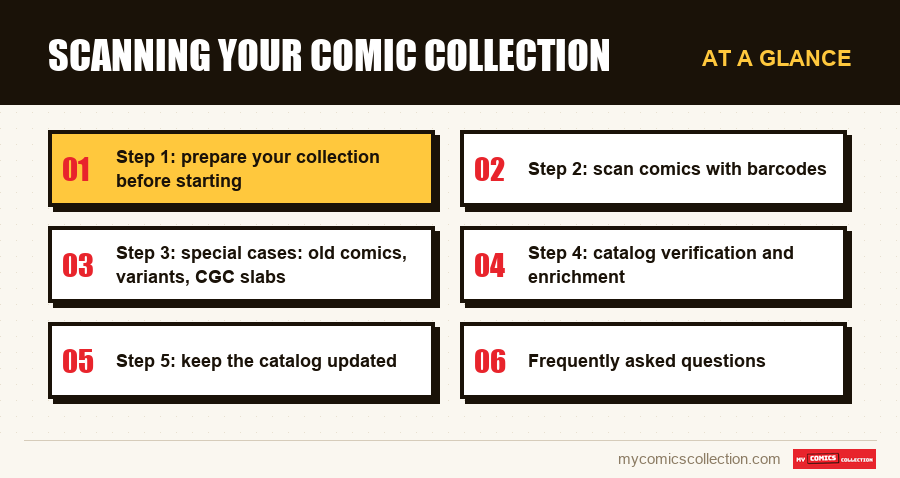
Step 1: prepare your collection before starting
The temptation is strong to just dive in, phone in hand, scanning comic after comic. But a few hours of preparation can save a lot of time across the entire project.
Start with a rough physical sort. Group comics by publisher, then by series if possible. This lets you scan coherent batches and spot missing issues more easily. During this sorting, set aside damaged comics, variants you're unsure about, and very old copies without barcodes: they'll be handled separately.
Also choose your management app before starting. Migrating mid-way is tedious. My Comics Collection offers a 7-day free trial that lets you test the interface and start scanning from day one.
Step 2: scan comics with barcodes
Most comics published since the 1980s have a UPC barcode, located at the bottom left or bottom right of the cover. This is the fastest part of scanning.
Adopt a regular rhythm: take a stack of about twenty comics, scan them one after another in burst mode, verify that identification is correct (title, number, publisher) and move to the next stack. For each comic, also note the condition: Near Mint, Very Fine, Fine, Good or Poor. This considerably enriches your catalog's value, especially for value estimates.
Count about two to three minutes for a stack of twenty comics once you get the rhythm. A 500-comic collection can be fully scanned in an afternoon.
Step 3: special cases: old comics, variants, CGC slabs
This is where it gets slightly more complex, but these cases are manageable with method.
Comics without barcodes (before ~1980): For these copies, the scanner is useless. You'll need to use manual search in your app's database. Search for the exact title, number, publisher and year. Most good apps have very complete databases covering Golden Age, Silver Age and Bronze Age comics. If your app can't find the comic, you can often add it manually with a cover photo.
Cover variants: The same issue can exist in cover A, cover B, retailer exclusive variant, incentive edition... Variants often have their own barcodes (with a different suffix), but not always. During scanning, verify that the app correctly identified the right version. For very rare or special variants, manual entry is sometimes necessary.
CGC and CBCS slabs: Graded and encapsulated comics in their hermetic cases can't be scanned directly (the barcode is often partially hidden). But the CGC or CBCS label shows all needed information: title, number, publisher, date, grade. Enter this information manually in your catalog, specifying the obtained grade: it's crucial data for value estimation.
Collecting this series?
Track what you own, what you are missing and what your collection is worth. 7 day trial.
Start my trial →Step 4: catalog verification and enrichment
Once raw scanning is done, time for verification. Browse your catalog and spot incomplete or questionable entries. Add missing conditions, complete personal notes (provenance, copy history, signatures) and verify that complete series really are.
This is also the right moment to generate your wishlist automatically: if your app can detect gaps in your runs, use this feature. You'll get in seconds the exact list of issues missing from each series.
Step 5: keep the catalog updated
Initial scanning is a one-off effort. The real discipline is adding each new comic to the catalog the moment you acquire it. Get in the habit of scanning your purchases immediately: at a shop, a flea market, as soon as you get home. A catalog updated in real time is infinitely more valuable than a perfect one that's six months old.
The transition from cardboard to digital catalog, once made, deeply changes your relationship with your collection. You no longer collect "blindly": you know what you own, what you're looking for and what it's worth. It's a form of mastery every serious collector eventually wants.
Frequently asked questions
For comics with barcodes, count about 2 to 3 minutes for twenty copies: about two hours of pure scanning for 1,000 comics. Adding pre-sorting time, entry of conditions and handling of special cases (old comics, variants, slabs), plan a full day or two half-days over a weekend. The important thing is not trying to do it all at once: working by series or publisher batches makes the task less tedious.
If the barcode is damaged or poorly printed, try lightly cleaning the cover or scanning under different lighting. If the problem persists, switch to manual entry mode: search for the title and number in the app database. As a last resort, if the comic isn't found, you can add it manually with a cover photo and the available information.
It's not mandatory, but it's strongly recommended. Condition has a direct impact on a comic's estimated value, sometimes considerable for older or rare copies. If you're short on time, start with higher-value comics (keys, first appearances, older comics) and handle the rest progressively. Even an approximate estimate (good / medium / poor) beats no info at all.
My Comics Collection saves your data in the cloud in real time. You can also export your catalog as CSV or PDF anytime to keep a local copy. In case of phone change or technical problem, your collection is fully recoverable from any device.