
Photo quality is one of the most decisive factors in selling comics online. A listing with blurry, dark, or incomplete photos will chase serious buyers away, even if the comic is in excellent condition and priced right.
Photo quality is one of the most decisive factors in selling comics online. A listing with blurry, dark, or incomplete photos will chase serious buyers away, even if the comic is in excellent condition and priced right. Conversely, sharp, well-lit, exhaustive photos inspire confidence, attract more offers, and often let you sell at a better price.
The good news: you don't need a professional camera. A recent smartphone, a good light source, and a few minutes of prep are enough to produce photos that make a difference on eBay, Facebook Marketplace, or specialty forums. This guide gives you all the keys to photograph your comics the right way.
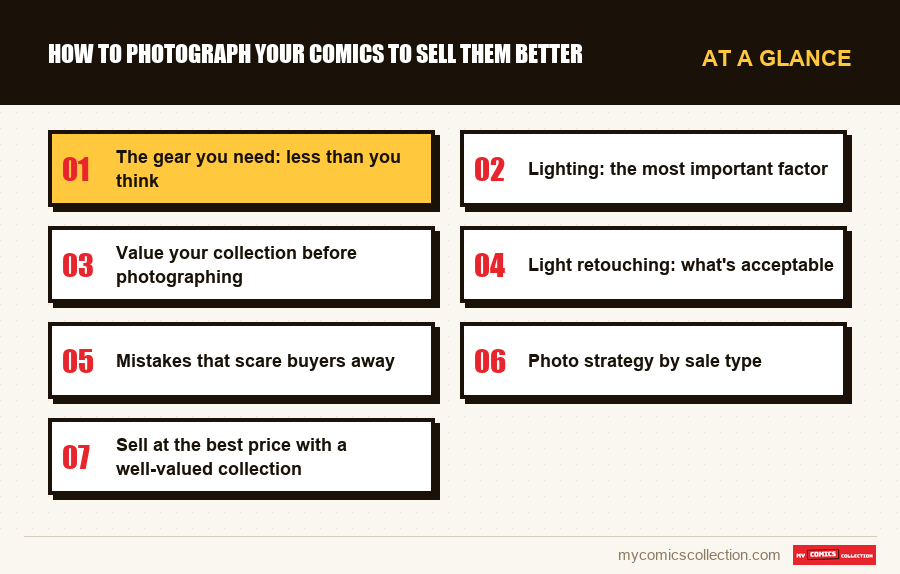
The gear you need: less than you think
No need to invest in a DSLR or a photo studio. To photograph comics for sale, here's the truly necessary equipment:
Smartphone: your main tool
An iPhone 13 or later, a Samsung Galaxy S21 or later, or any similar smartphone with a good camera sensor produces images more than sufficient for selling comics online. Modern sensor resolutions (12 to 50 megapixels) far exceed what sales platforms require.
A few settings to check on your smartphone before starting: disable the built-in flash (it creates harsh reflections and flattens colors), disable digital zoom if possible (it degrades quality), and make sure autofocus is active. If your phone offers a "pro" or "expert" mode, you can manually lock focus on the comic for more consistent results.
A tripod or stable support
Motion blur is comic photography's number one enemy. A small tabletop tripod (under $17) positioned vertically above the comic laid flat gives very clean results. If you don't have a tripod, rest your elbow on a stable surface and hold your breath at the shutter press. You can also use the timer (2 seconds) to avoid blur caused by pressing the button.
A uniform background
The background you shoot on should be neutral and uniform. A white A2 or A1 poster board is ideal: it reflects light well and doesn't distract the eye from the comic. Avoid colored backgrounds, loud textures, or cluttered surfaces. A black background also works very well for comics with colorful covers, creating elegant contrast.
Lighting: the most important factor
Lighting is the parameter that makes the biggest difference between a good and bad comic photo. Here's how to master this crucial aspect:
Indirect natural light: the ideal option
Set up your shooting zone near a large window, but position the comic so it doesn't receive direct sunlight. Direct light creates bright reflections (called "hot spots") on the cover that mask details and disrupt color reading. Indirect light, or light diffused by a slightly cloudy sky, is soft, uniform, and perfectly suited.
The best moment for natural-light photography is slightly overcast weather, mid-morning or mid-afternoon. Avoid hours with low sun (early morning or late afternoon) that create sharp shadows.
Artificial light: the all-season solution
If you photograph often or in the evening, invest in two small daylight LED lamps (5500K color temperature, "neutral white" or "daylight"). Place them on each side of the comic, slightly diagonal, about 12-18 inches away. This "two-source lighting" setup eliminates shadows and minimizes reflections.
Avoid warm-light bulbs (orange) that tint photos and make color description unreliable. Buyers want to see the comic's real colors, not a golden or greenish version due to bad lighting.
Value your collection before photographing
Before diving into photos, catalog your collection in My Comics Collection to identify the most valuable pieces to highlight and estimate their optimal sale price.
Free 7-day trial, no commitmentWhich photos to take for a comic for sale?
The photo list depends on the comic's value and condition. Here's the recommended protocol by situation:
The cover: main photo
The cover photo is the most important: it appears as a thumbnail in search results and sets first impression. Photograph the comic flat, framed straight, filling the maximum of the image. The cover should be sharp from upper-left corner to lower-right corner. Verify there are no reflections or shadows on the cover before validating.
The back cover
The back cover often shows defects the front doesn't reveal (discoloration, stains, marks). Flip the comic and photograph the back with the same care as the front. Experienced buyers systematically check the back before buying.
The spine
The spine is often revealing: it shows spine creases (those horizontal lines that reduce CGC grade), tears, and the condition of the cover on the edges. Photograph the comic slightly angled to show the spine clearly. It's an angle many sellers forget and informed buyers systematically request.
Corners: all 4 angles
For valuable comics (above $55), photograph the four corners individually with close-ups. Corners are the first thing CGC graders evaluate: the slightest rounding, creasing, or cover chip affects the grade. Sharp corner photos let buyers evaluate the actual condition without possible dispute.
Interior pages if damaged
If pages show defects (foxing, pencil marks, stains, tears), photograph them without exception. Deliberately omitting defects exposes the seller to complaints, refunds, and a damaged reputation on sales platforms. Transparency on defects is always the best long-term strategy.
Collecting this series?
Track what you own, what you are missing and what your collection is worth. 7 day trial.
Start my trial →Light retouching: what's acceptable
Light photo retouching is acceptable and recommended to improve photo readability. What's acceptable:
- Brightness and contrast adjustment: if the photo is a bit dark, slightly increase brightness. The goal is to show the comic as it is in good conditions, not to embellish it.
- Cropping: eliminate superfluous edges so the comic fills maximum image area.
- White balance correction: if your photos have an orange or green tint due to lighting, correct white balance to recover true colors.
- Slight exposure correction: to avoid overexposed (too white) or underexposed (too dark) zones.
What's unacceptable and can lead to disputes:
- Masking or removing visible defects through retouching
- Artificially boosting color saturation to the point of deceiving the buyer
- Using filters that modify the comic's general appearance
Mistakes that scare buyers away
Some shooting mistakes are so common and so penalizing they deserve particular attention. Here are the most frequent ones observed on comic sale listings:
The 7 most penalizing mistakes
- Blurry photos: a single blurry photo in a listing is enough to make the buyer abandon. Check each photo before publishing.
- Cover reflections: reflections mask the comic's actual condition. Change light or phone angle to eliminate them.
- Comic in its sleeve: shooting through plastic creates reflections and prevents evaluating real condition.
- Cluttered background: a background with visible objects (cluttered desk, colored rug, scratched floor) distracts and looks unprofessional.
- A single photo: one cover photo is insufficient for any comic above a few dollars. Serious buyers need multiple angles.
- Photos too dark: dark photos make condition hard to evaluate and suggest the seller has something to hide.
- Angled shot: a comic photographed from an angle (not flat, not centered) looks amateurish and complicates edge-condition evaluation.
Photo strategy by sale type
International eBay sale
eBay lets you upload up to 24 photos for free. Use the maximum for valuable comics. The main photo (cover) must be perfect: it determines click-through rate on your listing. For key issues, systematically add corner and spine close-ups. International buyers can't easily request additional photos, so your initial photo set must be exhaustive.
Lot sale
For comic lots, photograph comics spread in a fan to show every cover, then add individual photos of the most important pieces or those with defects. Clearly indicate in the description which comics are photographed individually and which aren't.
Social media and forum sales
On Facebook Marketplace or comic sale groups, photos must be especially sharp: images are often viewed on mobile with small screens. Favor very contrasted, well-lit photos, and avoid small photos that pixelate when enlarged.
FAQ: Photographing comics for sale
Sell at the best price with a well-valued collection
My Comics Collection helps you know each copy's value before listing, so you set the right price and maximize your resale revenue.
Free 7-day trial, no commitment