
Excel works great for small collections (less than 200 comics). Beyond that, its limits become concrete problems: no coverage, no automatic valuation, no detection of missing items, no mobility under agreement. A dedicated app solves all of these points, but costs a subscription. The choice depends on the size of your collection and your ambitions.
Comics collection: Excel vs dedicated application: the honest comparison
It's the eternal debate among comic book collectors: should you manage your collection on Excel or switch to a dedicated application? The question comes up on all the forums, all the Facebook groups, all the conversations at conventions. And the honest answer is that both have real merit. This comparison presents the advantages and limitations of each approach without dogmatism, so that you can make an informed choice.
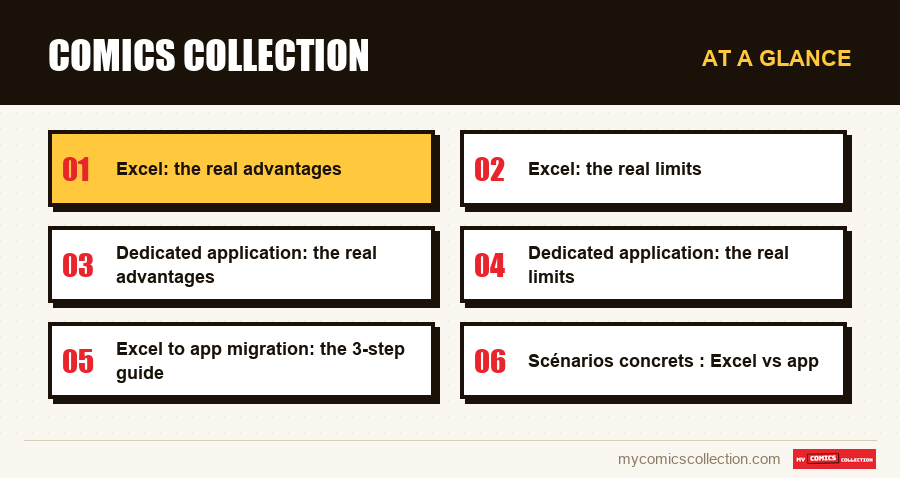
Excel: the real advantages
Let's start with what Excel does well, because there are good reasons why thousands of collectors still use it.
It's free (or almost)
If you already have Microsoft Office or use Google Sheets, the cost is zero. For a hobby where every euro counts (because it could be used to buy one more comic book), this is a weighty argument. No dedicated app can beat “free”.
It's totally customizable
Want a column for location of purchase? The name of the seller? The location in your longboxes (which box, which location)? The purchase price in dollars AND euros? With Excel, you create exactly the fields you need. No app will give you this complete flexibility.
You control your data
Your Excel file is on your hard drive. You save it wherever you want, you make copies of it, no one can cut you off from access. No subscription to renew, no service that closes overnight, no surprise price changes. Your data belongs 100% to you.
You already know how to use it
No learning curve. No tutorial to watch, no interface to discover. You open a spreadsheet, create your columns, and start typing. For someone who doesn't want to spend an hour configuring a new tool, this is a real advantage.
Excel: the real limits
Now comes the point where Excel starts to crack, and the bigger your collection grows, the more painful these limits become.
No comic database
Excel doesn't know anything about comics. He doesn't know Amazing Spider-Man has 900+ issues, he doesn't know the creators, he doesn't post covers. Each information must be entered by hand. For 100 comics, it's manageable. For 500, it's laborious. For 1,000, it's a full-time job.
And the risk of error is permanent. “Amazing Spiderman” instead of “Amazing Spider-Man”? Your filter won't find it. A duplicate number entered? Nothing alerts you. A number forgotten in the entry? It disappears from your radar forever.
No blankets
A spreadsheet displays text and numbers. No cover images, no visuals of CGC slabs, nothing to make the consultation pleasant. When you browse your collection in Excel, it's a list of text. When you browse it in an app, you see your comics. The difference in experience is considerable.
No automatic valuation
This is perhaps the most serious limit. If you want to know the price of your Amazing Spider-Man #300 in Near Mint, you have to go find it yourself: on eBay, on a rating site, in a paper guide. Then enter it in your Excel cell. Then update it when the rating changes (i.e. permanently).
For a number, it's doable. For 500 numbers? For 1,000? Unable to keep ratings up to date manually. Result: most collectors' Excel files have ratings that are several months or even years old. Suffice it to say that they are worthless.
No detection of missing items
Excel does not know which numbers exist in a series. So it can't tell you which numbers you're missing. To identify holes in a run, you have to manually compare your spreadsheet with the entire series list: a tedious exercise that most collectors eventually stop doing.
No comfortable mobility
Google Sheets is accessible on phone, but the experience is poor: columns too small, laborious navigation, slow loading time on large files. Typically, looking up a number in a Google Sheets spreadsheet on the phone takes 30 seconds to 1 minute. Enough so that you don't do it systematically: and therefore enough for duplicates to accumulate.
Dedicated application: the real advantages
An app like My Comics Collection was designed specifically to solve the problems collectors face. Here is what it actually brings.
Integrated catalog: the end of manual entry
The worldwide comics database contains over 2 million referenced issues. When you search for a series, the app displays all existing issues with their covers, publication dates and creators. All you have to do is check what you have. What took 5 minutes per comic in Excel entry takes 10 seconds in the app.
Valorisation dynamique
The app estimates the value of each number based on its condition and market data. Your dashboard displays the total value of your collection, which numbers are going up, which are going down. This information is updated regularly without any intervention on your part.
Manquants automatiques
The app knows all the numbers in a series. She knows which ones you have. The difference is your missing items: displayed automatically, sorted by value or number, viewable by telephone in store.
Suivi CGC/CBCS natif
If you have your comics graded, the app manages the CGC and CBCS grades natively: certification number, grade, label type. Odds are adjusted based on exact grade. Excel does not understand the difference between a 9.4 and a 9.6: l'app, si.
Partage en un clic
Show your collection to a friend, a potential buyer, or an insurer: a link is enough. No files to send by email, no layout to worry about. The app generates a showcase that anyone can view, with covers and valuation.
Dedicated application: the real limits
In intellectual honesty, here is what an app does worse than Excel.
C'est payant
Most collection management applications are subscription-based. This is a recurring cost that Excel does not have. For a collector who spends €50 per month on comics, an annual subscription to an app represents a significant percentage of the budget. The question is whether avoided duplication and better purchasing decisions offset this cost: for most active collectors, the answer is yes.
Moins de personnalisation
You cannot create just any column or calculation. The app offers predefined fields (series, number, condition, grade, purchase price, rating) which cover 95% of needs, but if you have very specific needs (physical location in a specific shelf, detailed notes by number), Excel offers more freedom.
Dépendance au service
If the company behind the app shuts down, you potentially lose access to your data. This is a real risk, even if serious applications offer export functions (CSV, PDF) which allow you to keep a local copy. Always check that the app offers export before committing.
The verdict: who should use what?
After years of market observation and feedback from collectors, here is the most honest decision grid possible.
Stay on Excel if: you have fewer than 200 comics, you only buy occasionally, you don't attend conventions, and you don't need to know the value of your collection. Excel does the job.
Switch to an app if: you exceed 300 comics, you buy regularly (convention, online, store), you want to track the value of your collection, or you want to complete runs efficiently. The saving in time and money (avoided duplication, better targeted purchases) more than offsets the cost of the subscription.
Le compromis: start on Excel, and when you feel that it is no longer enough (frequent duplicates, loss of control, frustration with conventions), migrate to an app. Most applications support importing Excel files, so your initial cataloging work is not lost.
Excel to app migration: the 3-step guide
If you decide to take the plunge, here's how to migrate cleanly.
Step 1: Clean your Excel file
Before importing, make sure your file is clean. Check that the series names are consistent (not "Spider-Man" in one cell and "Spiderman" in another), that the numbers are actually digits (no text), and that the columns have clear headers. A clean file imports without a hitch; a poorly structured file generates errors.
Étape 2 : Importez et vérifiez
Use the app's import function to upload your file. After import, browse the first 20 or 30 entries to verify that the data has been correctly interpreted (correct series, correct number, correct condition). Correct any errors and validate.
Step 3: Explore new possibilities
Once your data has been imported, take the time to discover what the app offers you: the missing numbers by series (you will probably have surprises), the estimated value of your collection (often different from what you thought), and the mobile experience (consult your collection on the phone).
Scénarios concrets : Excel vs app
To make the comparison more tangible, here are three daily scenarios and how each tool handles them.
Scenario 1: You buy a comic book at a convention
Avec Excel: you can't easily check if you already have it (Google Sheets on phone is slow and uncomfortable). You buy, hoping not to have a duplicate. When you get home, you add the number to your file: if you think about it.
Avec l'app: you open the app on your phone, type the title and number. In 10 seconds, you know if you already have it, what its estimated rating is, and if it fills a hole in your run. You buy knowingly and add it to your collection immediately.
Scenario 2: A friend asks you how much your collection is worth
Avec Excel: you have no precise idea. Your odds are not up to date (if they were ever entered). You estimate with a wet finger.
Avec l'app: you open your dashboard. The total value is displayed, updated with recent market data. You can even show the detail by series or number.
Scenario 3: Looking to complete a Batman run
Avec Excel: You need to find the complete list of serial numbers and then manually compare it with your file. Estimated time: 30 to 60 minutes for a series of 300 numbers.
Avec l'app: you open the Batman series. The missing ones are listed automatically. In 10 seconds, you know you are missing 47 numbers and you can sort them by value to prioritize your purchases.
Questions fréquentes
Yes. My Comics Collection offers an import wizard that allows you to load a CSV or Excel file and match your columns with the fields in the app (series, issue, condition, purchase price). The process takes minutes and preserves your existing cataloging work.
Serious applications offer an export function which allows you to download your data (CSV, Excel, PDF) at any time, including before canceling your subscription. Your data belongs to you. My Comics Collection allows the complete export of your collection so that you are never trapped in the service.
Google Sheets is free. Microsoft Excel requires a Microsoft 365 subscription (around €70/year for the personal version). If you already use Office, the marginal cost is zero. But beware of Excel's hidden costs: time spent in manual entry, duplicates purchased due to lack of mobility, and missed purchase/sale opportunities due to lack of valuation have a real cost, even if it does not appear on an invoice.
Technically, Excel handles up to a million rows. This is not a problem of technical capacity. The limit is human: beyond 300-500 lines, maintaining the file (entrying, updating dimensions, searching for specific numbers) becomes so time-consuming that most collectors end up abandoning or neglecting updating. The file exists but is no longer up to date: you might as well not have one.
In theory, you could create formulas that fetch prices from websites (via Google Finance or scripts). In practice, it is extremely fragile: sites change their structure, APIs are limited, and maintaining these formulas is an IT project in itself. The automatic valuation of a dedicated app is professionally maintained and updated regularly: it is incomparably more reliable.
It is technically possible but not recommended. Maintaining two inventories creates discrepancies (a comic added in one tool but not the other). If you rely on Excel for some very specific data (personal notes, detailed purchase history), use the app as your main tool and regularly export to Excel to supplement with your personalized data.