Manage your comics collection on paper (spreadsheet, notebook) or with a dedicated app: the choice is not trivial. Physical management works up to 200-300 comics, beyond that it becomes a real obstacle. The hybrid approach, physical comics + digital catalog, is today the norm among serious collectors.
Physical vs. digital management of your comic collection: what to choose?
When we talk about “physical vs. digital” in comics collecting, the question is not about choosing between reading on paper or on screen. That's a whole other debate. The real question, the one that all collectors ask themselves at some point, is: how can I actually manage my collection? Notebook, Excel spreadsheet, pure memory... or dedicated application? Each method has its defenders. But beyond a certain threshold, the observation is universal: artisanal management no longer holds.
This guide compares the two approaches without dogmatism, explains when manual management reaches its limits, and proposes a concrete path to migrate to a hybrid system that combines the best of both worlds.
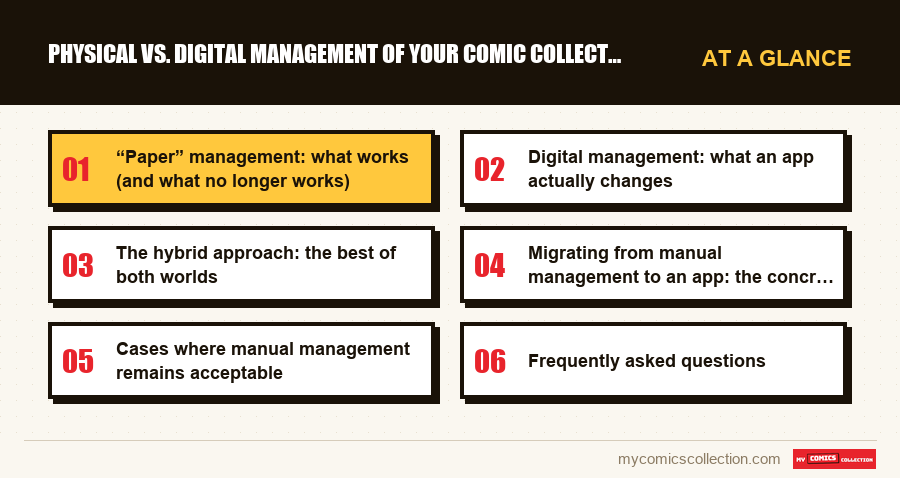
“Paper” management: what works (and what no longer works)
Let's be honest: manual management has virtues. A notebook in which you note your purchases, an Excel spreadsheet with your series and numbers, or even a simple physical classification by publisher in your longboxes: all of this works. At least, to a certain extent.
Classic methods and their limits
The notebook or notebook. Many collectors started this way, writing down each issue acquired in a dedicated notebook. The advantage: it's tangible, no need for technology, and there's a satisfying side to crossing a number off a list. The problem: impossible to sort, filter, search quickly. At 500 comics, finding if you already own a specific issue takes several minutes of thumbing through. At a garage sale, faced with a bin of 200 comics, it's unusable.
Excel spreadsheet or Google Sheets. The next step for many. Columns for series, number, condition, price paid, date of purchase. It's structured, searchable, sortable. Some collectors have impressive spreadsheets with thousands of lines, value calculation formulas, tabs by publisher. The problem: the entry is entirely manual, each comic requires 2-3 minutes of data entry. No hedges, no link to market quotes, no automatic updates. And above all: you have to keep the file up to date, which most people abandon after a few months.
Pure memory. Don't laugh, this is the most common management method among collectors of less than 300 comics. “I know what I have.” Until the day you buy a duplicate for €15 because you forgot that you already had this number in a box at the back of the garage.
The critical threshold: when it no longer holds
There is a threshold, which varies depending on the person, beyond which manual management becomes an active handicap. This threshold is generally between 200 and 500 comics. At this point, several problems appear simultaneously:
- Duplicates multiply: you buy numbers that you already have, because your memory or file is not up to date.
- The missing are invisible: it’s impossible to quickly know which numbers you’re missing in a 60-episode run.
- The value is unknown: you have no idea what your collection is worth, or which comics have gained or lost value.
- Sharing is impossible: showing your collection to a friend or potential buyer requires a physical visit.
- Insurance is complicated: in the event of a disaster, you have no documented inventory to present.
These five problems are not theoretical. These are the concrete reasons why thousands of collectors switch each year from artisanal management to a dedicated app.
Digital management: what an app actually changes
A collection management application like My Comics Collection doesn't replace your physical comics: it makes them manageable. The nuance is important. Your comics stay in your longboxes, on your shelves, in your slabs. The app creates a digital duplicate of your collection that gives you capabilities no manual method can.
Quick addition thanks to the integrated catalog
The fundamental difference between a spreadsheet and a dedicated app is the catalog. A spreadsheet starts from scratch: you have to manually enter each piece of information. An app like My Comics Collection is based on the catalog of worldwide comics database, the largest comics database in the world. You are looking for "Amazing Spider-Man 300", the app offers you the comic with its cover, its publication date, its credits, and you just have to confirm the addition. The entry time goes from 3 minutes to 10 seconds.
On a typical inventory session, a collector adds between 80 and 150 comics per hour with an app versus 20-30 with a spreadsheet. For a collection of 1,000 comics, that's the difference between a full weekend and a week of parties.
Dynamic valuation
A spreadsheet tells you what you paid. An app tells you what it’s worth Today. Automatic valuation based on actual eBay sales is one of the features that most changes the way you perceive your collection. You discover that this Spawn #1 bought for €5 at a garage sale is worth €40, or that your run of New Mutants has doubled in value since the film announcements.
The automatic missing list
The app knows the complete list of each series. Do you have Amazing Spider-Man issues 1-45 and 48-60? It automatically shows you the numbers 46 and 47 as missing. No need to check manually, no more doubts in store. Your phone becomes your shopping list in real time.
The hybrid approach: the best of both worlds
The real answer to “physical or digital” is neither one nor the other exclusively. It's both, each in their role.
Physical comics remain the collection. It is the object, the value, the experience, the transmission. There's no substitute for having Amazing Fantasy #15 in hand. Well-done physical storage (sleeves, boards, longboxes, controlled conditions) protects your investment.
The digital app becomes the brain of the collection. It memorizes, calculates, compares, alerts. She knows what you have, what's missing, what it's worth, what's changed. She accompanies you to the store, to conventions, to garage sales.
This hybrid approach has become the standard among serious collectors for a simple reason: it eliminates the disadvantages of each method in isolation.
What you actually gain
- Zero duplicates: instant verification before each purchase.
- Visible missing: your wish-list is always up to date.
- Known value: you know how much your collection is worth at any time.
- Insurable collection: a detailed inventory with photos and ratings facilitates any insurance process.
- Shareable collection: show your collection to anyone, anywhere, via a link.
Migrating from manual management to an app: the concrete plan
If you currently manage your collection with a spreadsheet or notebook and are considering switching to an app, this is the method that works. It has been tested by hundreds of collectors who have made this transition.
Step 1: Start with the main sets (day 1)
Don't try to inventory your entire collection at once. Start with your 3-5 most important sets: the ones you know best. Add them to the app. You will get to grips with the interface, understand how the catalog works, and immediately see the missing items appear. This first session usually takes 1-2 hours and covers 200-400 comics.
Step 2: complete with short sessions (week 1-2)
Process the rest of your collection in 30-45 minute sessions, for example every other evening. Each session allows you to add 80 to 150 comics. In one to two weeks, even a collection of 2,000 comics is fully cataloged.
Step 3: Ditch the old system (week 3+)
Once the migration is complete, resist the temptation to maintain the old spreadsheet “just in case.” Dual-system is worse than no system at all, because you no longer know which one is up to date. Sign in to the app and only add your new purchases there. The spreadsheet becomes an archive, not an active tool.
Tip: comics already in a spreadsheet
If you have a well-structured spreadsheet with series + number, some apps allow CSV import. This is the ideal shortcut: you recover your history without having to re-enter everything. Make sure the app you choose offers this feature before you start.
Cases where manual management remains acceptable
For completeness, let's recognize that digital management is not essential for everyone. If your collection matches one of these profiles, manual management may still be sufficient:
- Less than 100 comics, all from the same series: you know your collection by heart.
- Closed collection: you no longer actively collect, your collection is “frozen”.
- No interest in value: you read your comics and never resell them.
In all other cases (active collection, multiple series, interest in value, ambition to complete) a dedicated app becomes an investment that pays off from the first duplicate avoided or the first good deal spotted thanks to your list of missing items.
Frequently asked questions
No, absolutely not. Digital management doesn't replace your physical comics: it complements them. Your comics stay in your longboxes. The app creates a digital catalog that allows you to manage, promote and track your physical collection. It is a management tool, not a replacement.
With an app like My Comics Collection which is based on the catalog, count on approximately 8 to 12 hours spread over one to two weeks (sessions of 30-45 minutes). Without an app, with a spreadsheet, multiply by 3 or 4. The integrated catalog considerably speeds up entry by pre-filling the information for each issue.
A spreadsheet works for basic entry and sorting. But it cannot display the covers, automatically calculate the value of your comics, generate a list of missing items by series, nor be consulted quickly in store. Beyond 300-500 comics, maintaining a spreadsheet becomes a job in itself, and most collectors end up abandoning it.
It's a legitimate question. Serious apps store your data in the cloud with regular backup, which is paradoxically more secure than an Excel file on your hard drive (which can crash) or a notebook (which can be lost). Check that the app offers an export of your data so that you are never trapped in a platform.
Yes, some apps support CSV import. This is the fastest way to migrate a collection already cataloged into a spreadsheet. Prepare your file with at least the series and number columns, then follow the app import procedure. You recover your history without re-entering everything manually.